← Home Workflow Engine Service Catalog AI Assistant Scheduler Tokens Logs Integration Health Task Results Integrations Get Started →
Product Tour

Everything you need to automate
your IT operations

A walkthrough of MegaClaw's core features — built for IT teams who want to move fast without building from scratch.

Workflow Engine

Visual automation — no code required

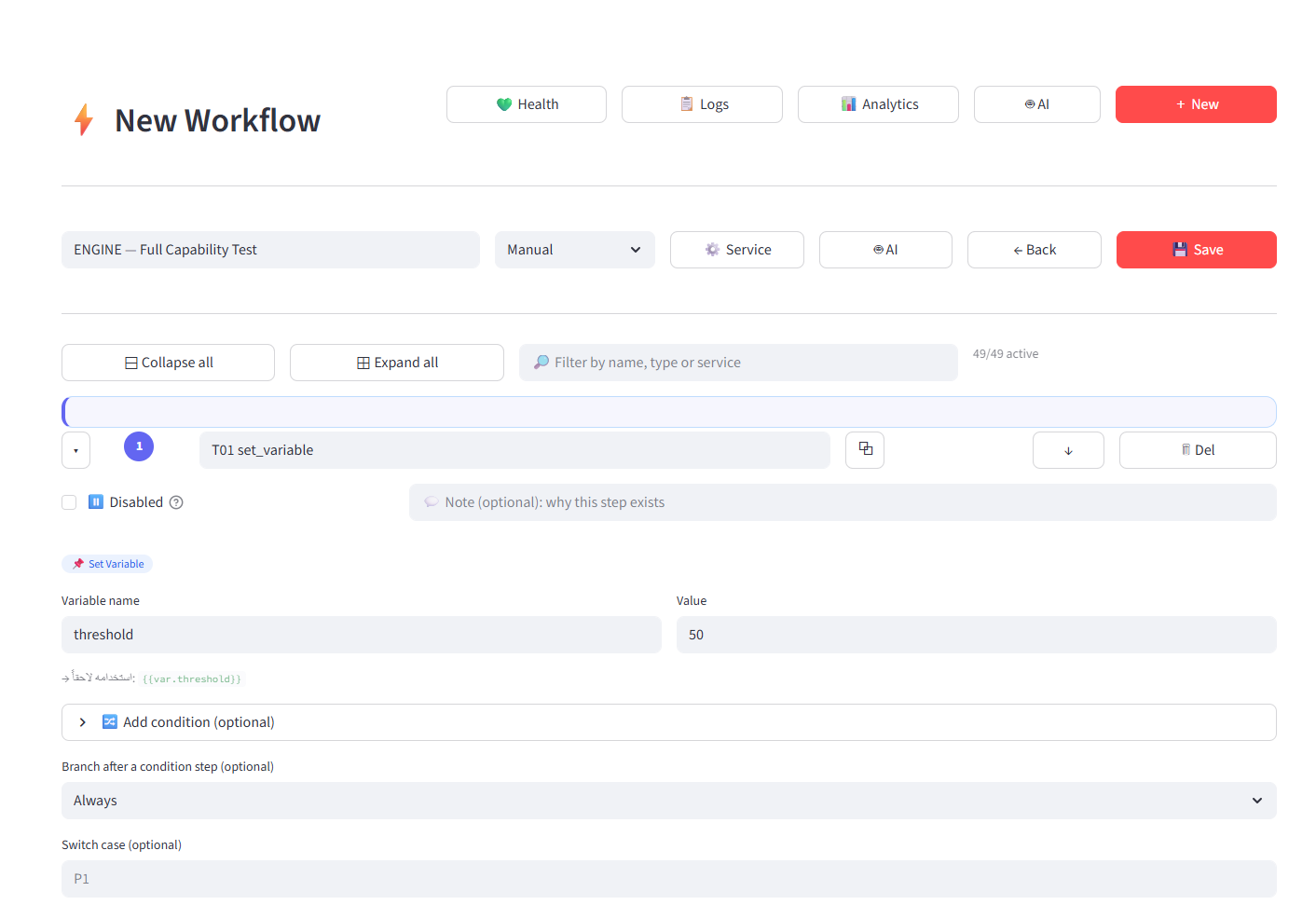
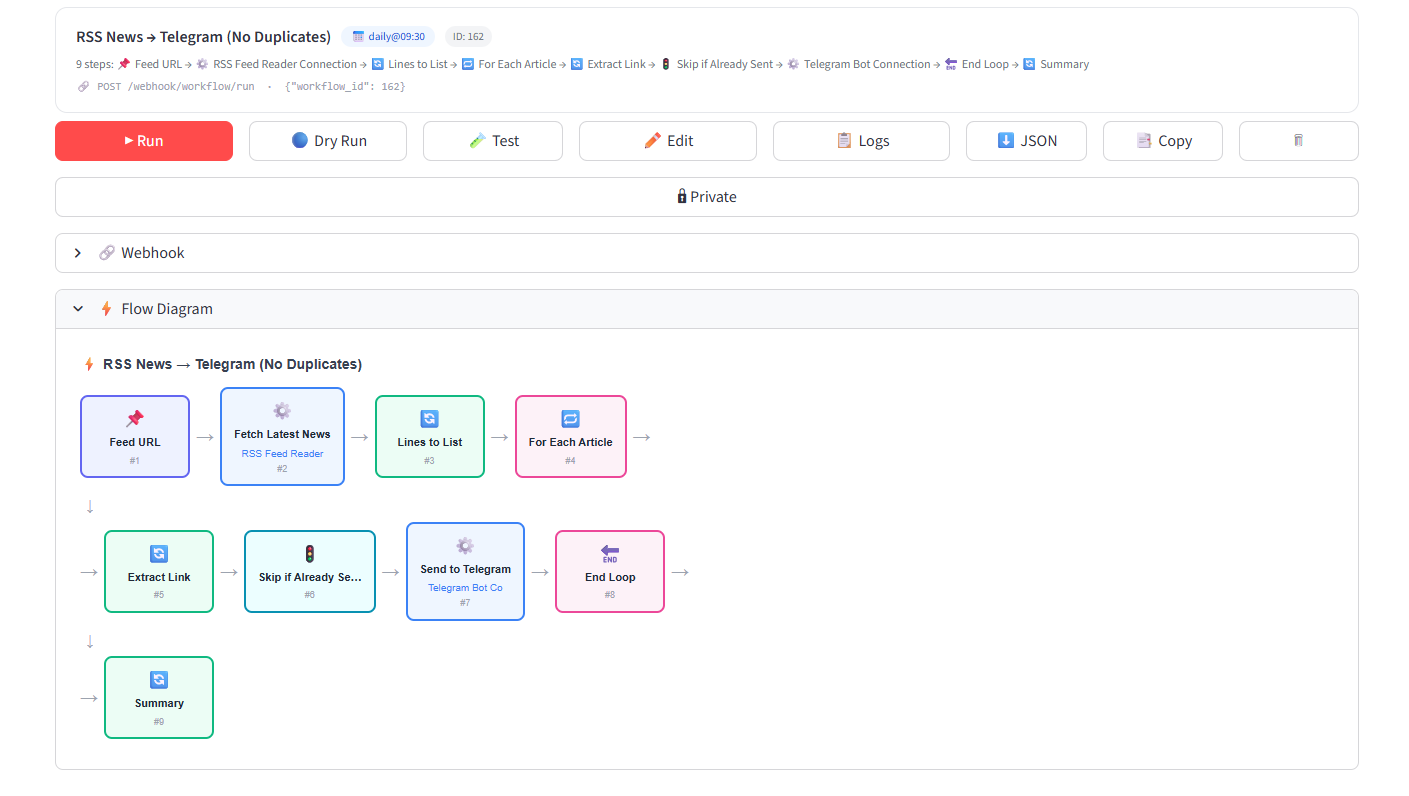
Build multi-step workflows visually. Connect services, add conditions and loops, schedule execution, and trigger via webhook. Every workflow shows a live flow diagram.
drx.megaclaw.de / workflows
RSS to Telegram workflow with 9-step flow diagram
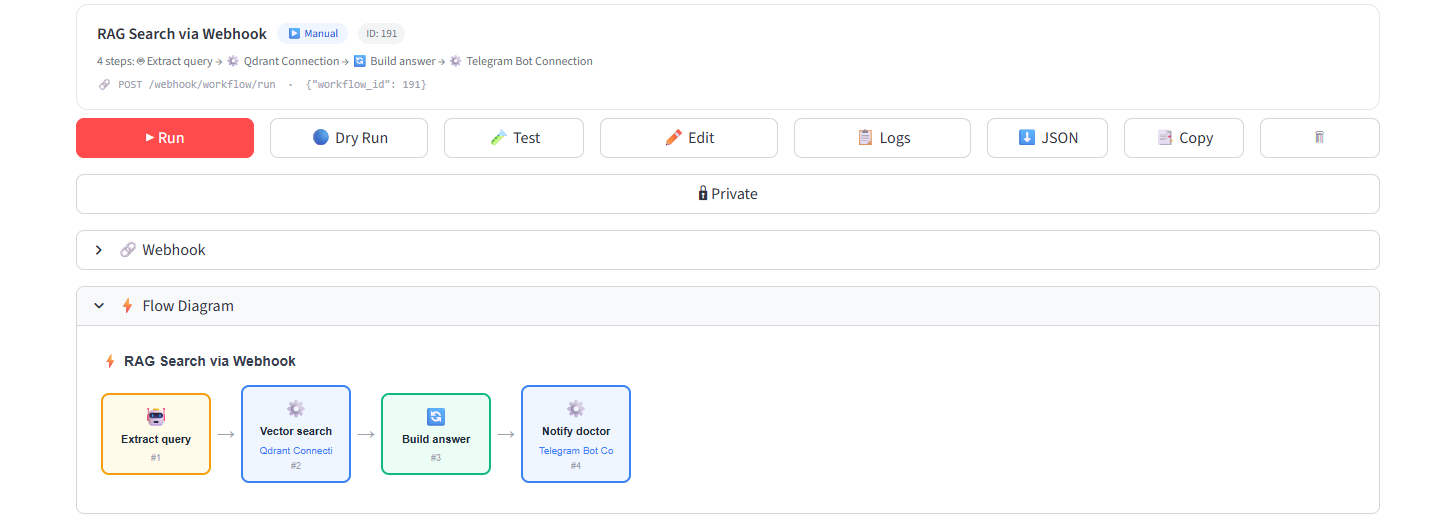
RAG Search via Webhook workflow
RAG Search via Webhook
Manual4 steps · Qdrant → Telegram
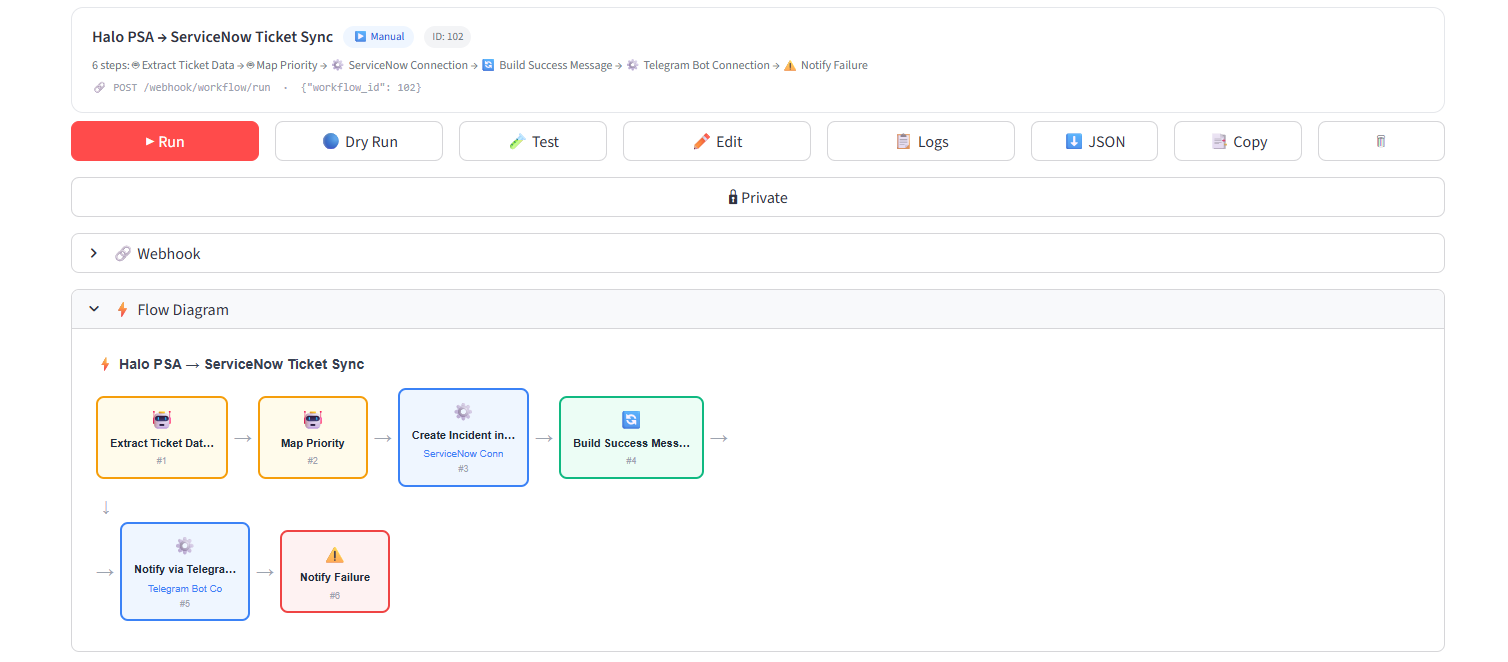
Halo PSA to ServiceNow ticket sync
Halo PSA → ServiceNow Ticket Sync
Manual6 steps · ServiceNow → Telegram
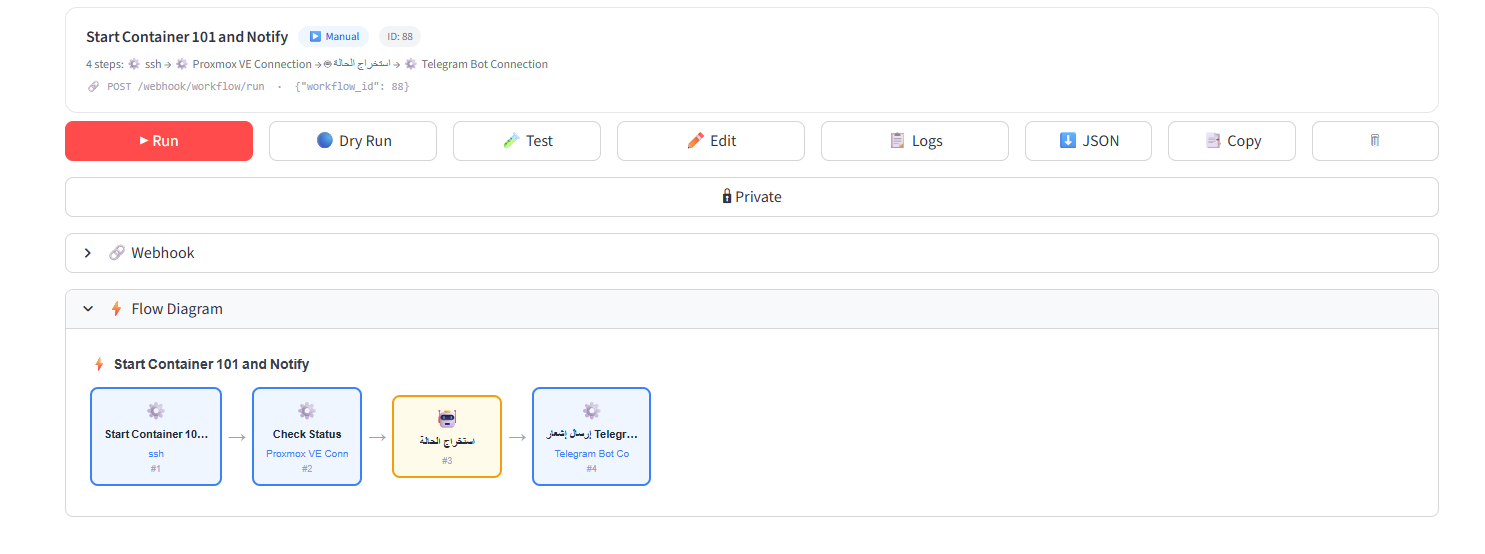
Start Container 101 and Notify workflow
Start Container 101 and Notify
Manual4 steps · SSH → Proxmox → Telegram
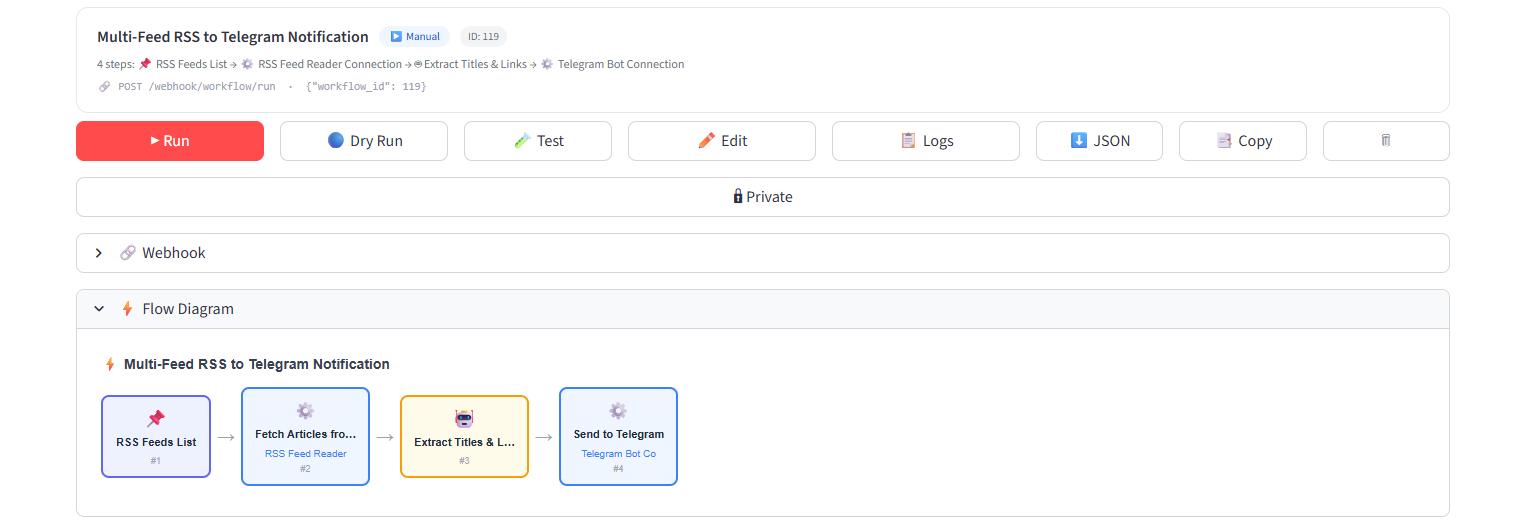
Multi-Feed RSS to Telegram notification
Multi-Feed RSS to Telegram
Manual4 steps · RSS → Telegram
🎨
Visual flow diagram
Every workflow renders a real-time node diagram showing steps, connections, and execution path.
🔗
Webhook trigger
Every workflow gets a POST /webhook/workflow/run endpoint. Trigger from n8n, Zapier, or any HTTP client.
🔄
Import / Export JSON
Export any workflow as JSON. Share, version-control, or import into another tenant.
Service Catalog

21 integrations — connect in 30 seconds

Browse by category, click Connect, enter credentials. No AI tokens consumed. No configuration YAML. Verified integrations ready to use immediately.
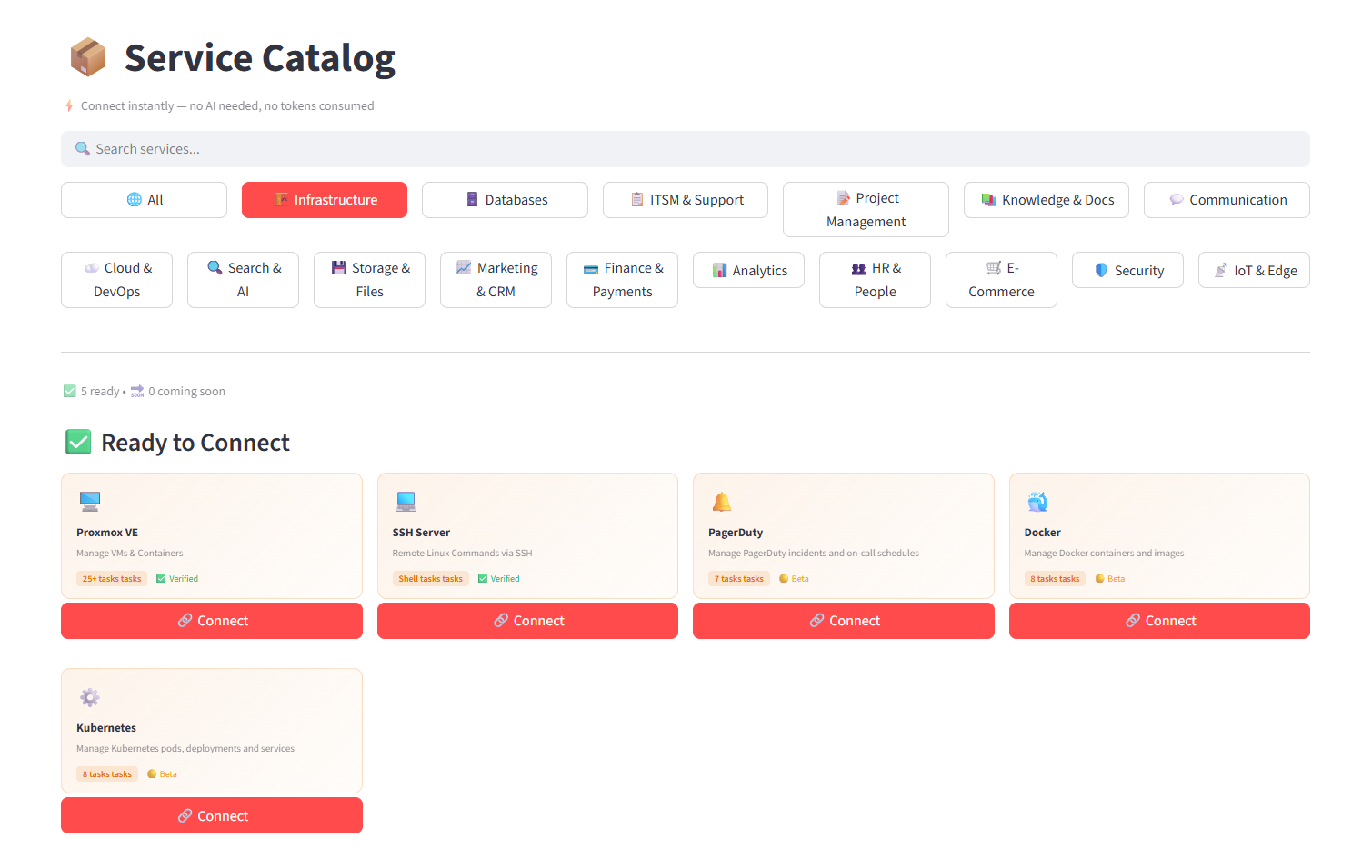
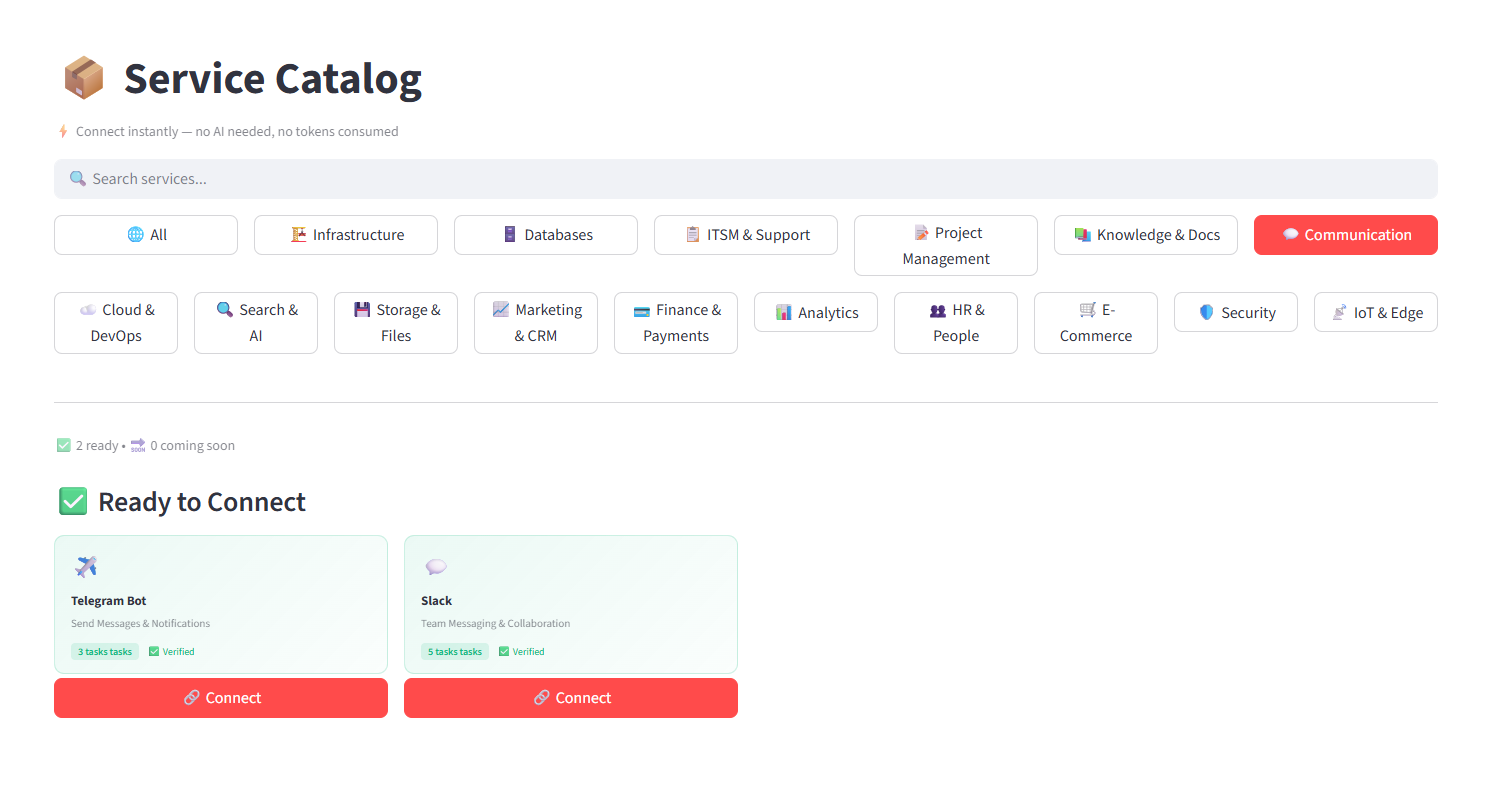
Service Catalog · Infrastructure
Service Catalog showing Infrastructure integrations
Service Catalog · Communication
Service Catalog showing Communication integrations
Zero tokens
Catalog integrations use direct API connections — no AI inference, no token cost.
Verified + Beta
Each integration is labeled Verified or Beta so you know what's production-ready.
AI Assistant · RAG Chat

Ask your infrastructure anything

Connect your services and ask questions in plain language. Powered by Claude, Ollama, OpenRouter, or Azure OpenAI. RAG integrations give the AI full context of your connected systems.
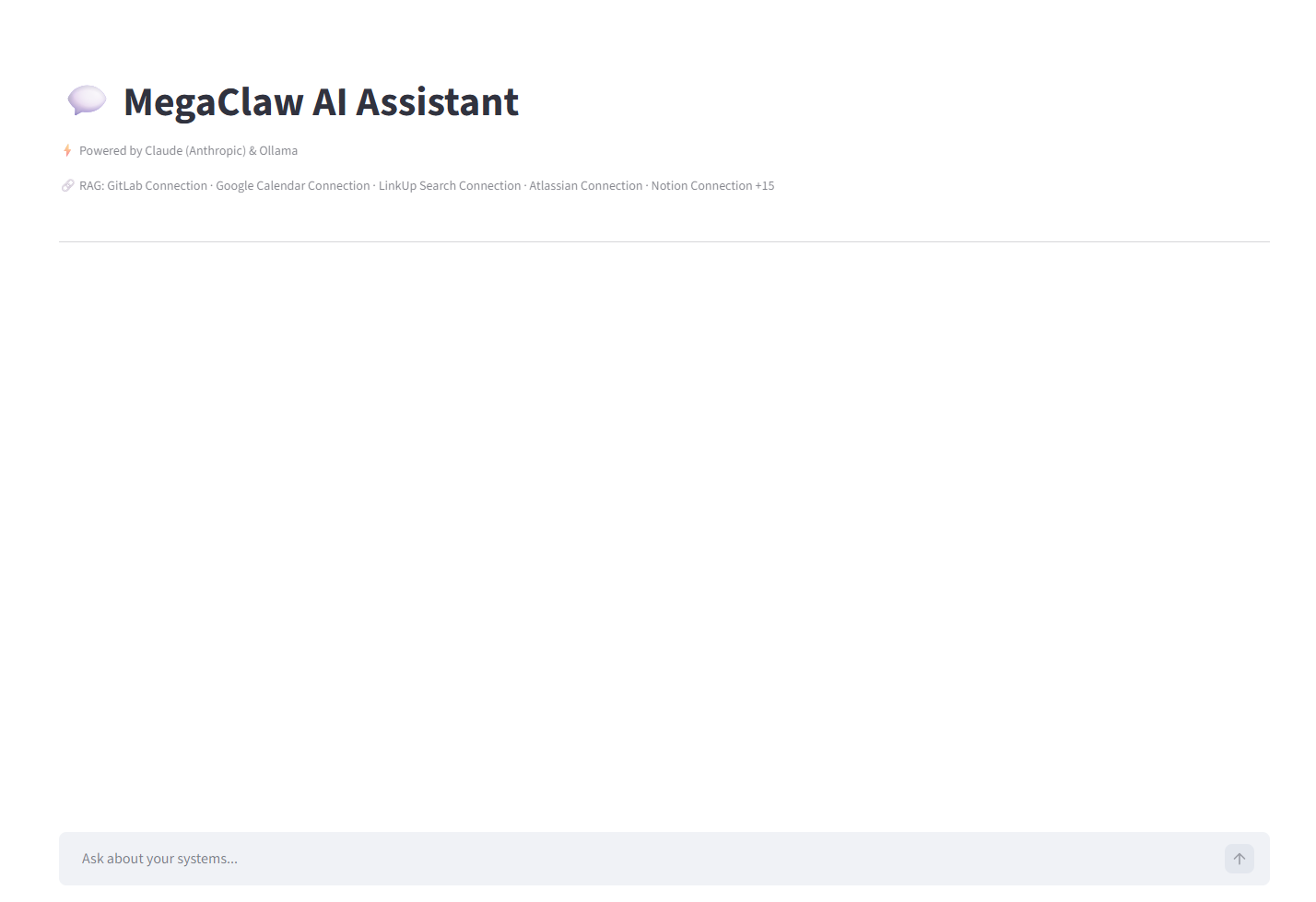
MegaClaw AI Assistant
MegaClaw AI Assistant powered by Claude and Ollama
🧠
RAG-powered context
The AI has access to all your connected service data — GitLab, Google Calendar, Atlassian, Notion, and 15 more.
🔒
BYOK — zero markup
Bring your own API key for any AI provider. Your inference cost, no MegaClaw markup, no token deduction.
Flexible Scheduler

Automate on your timeline

Schedule any task: daily, interval, cron, or one-time. Set notification channels. Tasks run silently and log every execution.
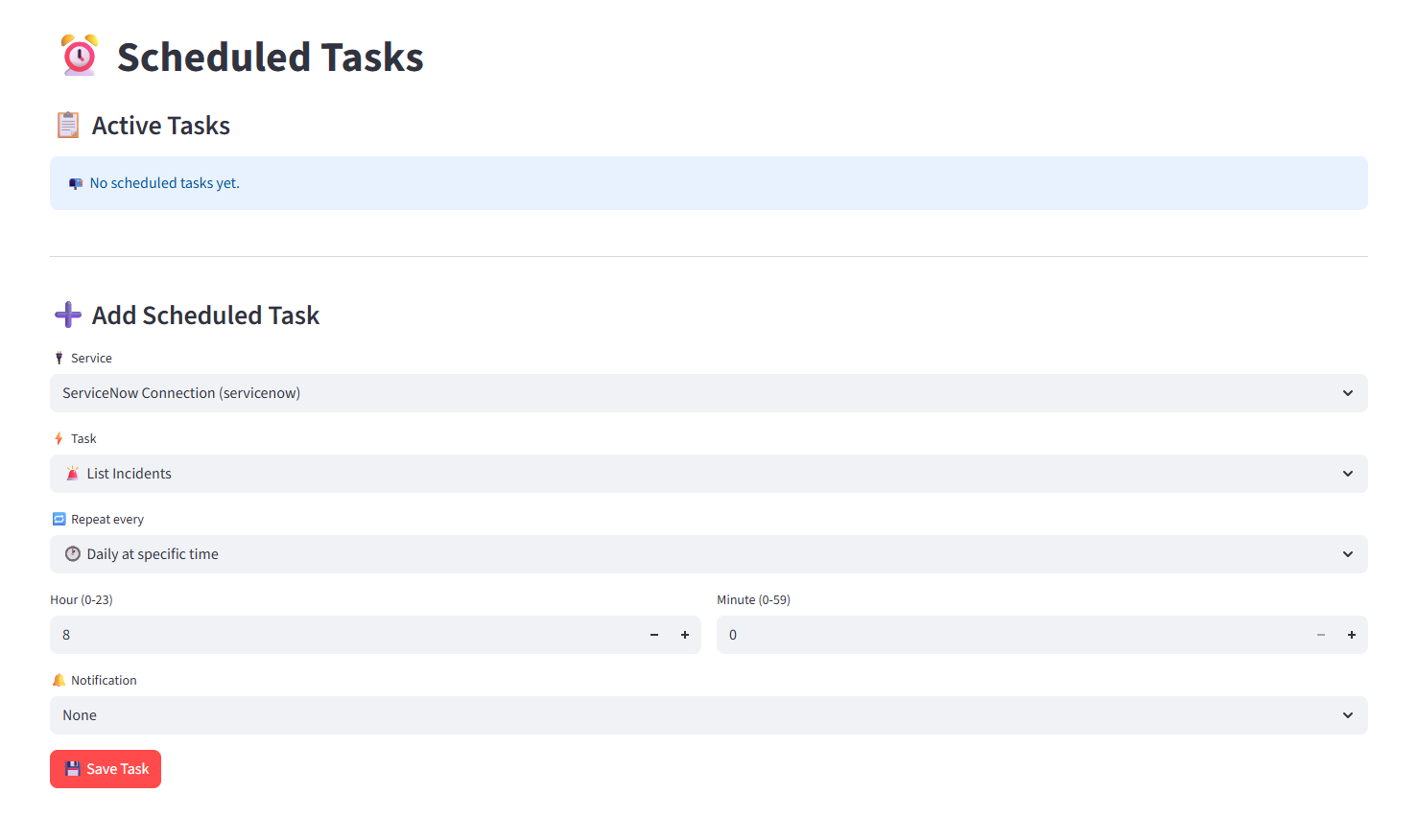
Scheduled Tasks
Scheduled Tasks interface with service, task, and time selectors
Token Dashboard

Full visibility into your AI usage

Real-time token balance, usage breakdown per task, and transaction history. Every AI call is logged with service name, task type, token cost, and timestamp.
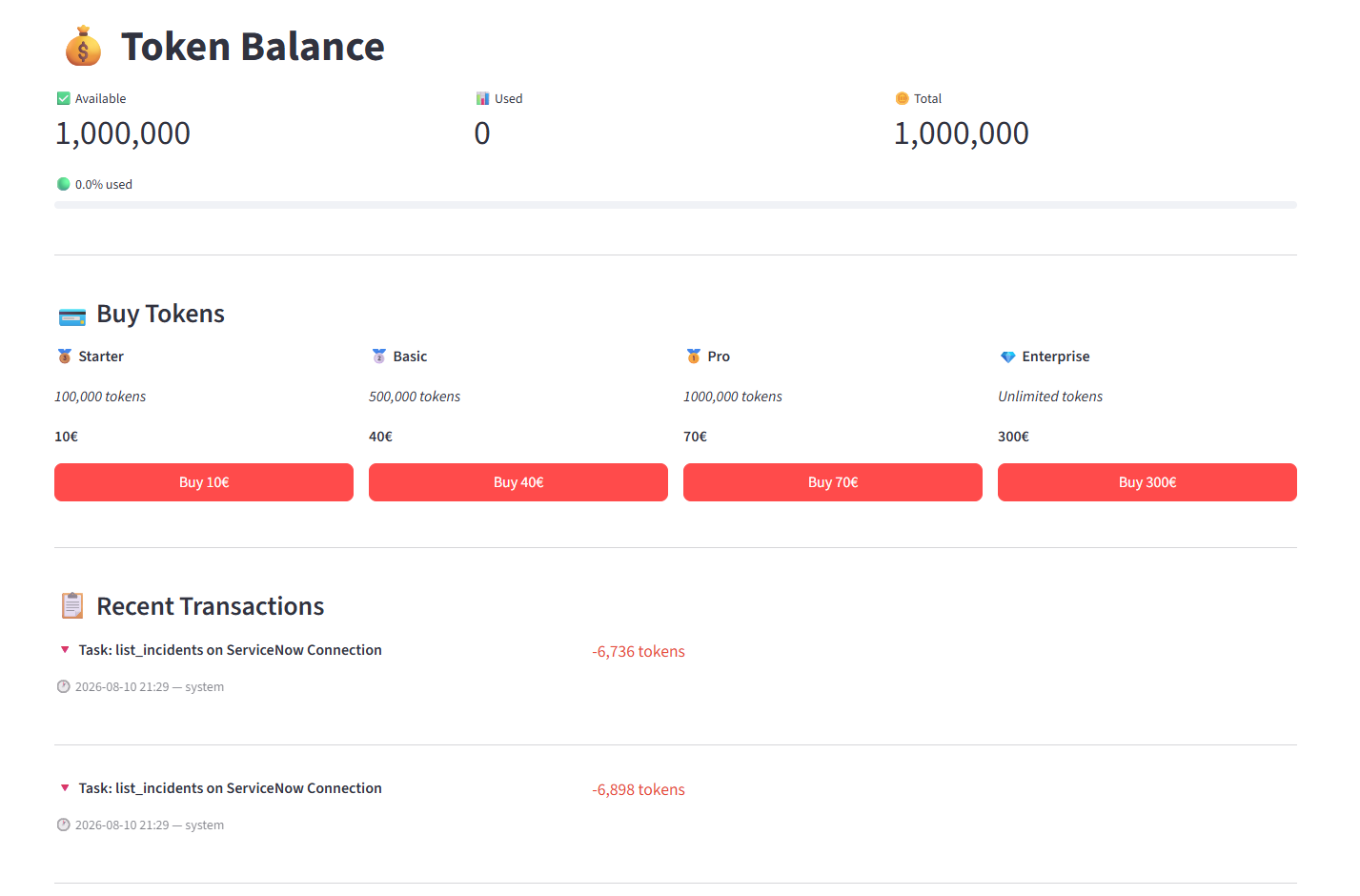
Token Balance
Token Balance dashboard showing available, used, and total tokens with transaction history
📊
Per-task transparency
Every transaction shows which service and task consumed tokens, at what time, and how many.
🔑
BYOK skips tokens entirely
Connect your own AI provider API key — those calls don't consume MegaClaw tokens at all.
Task Logs · Audit Trail

Nothing happens without a record

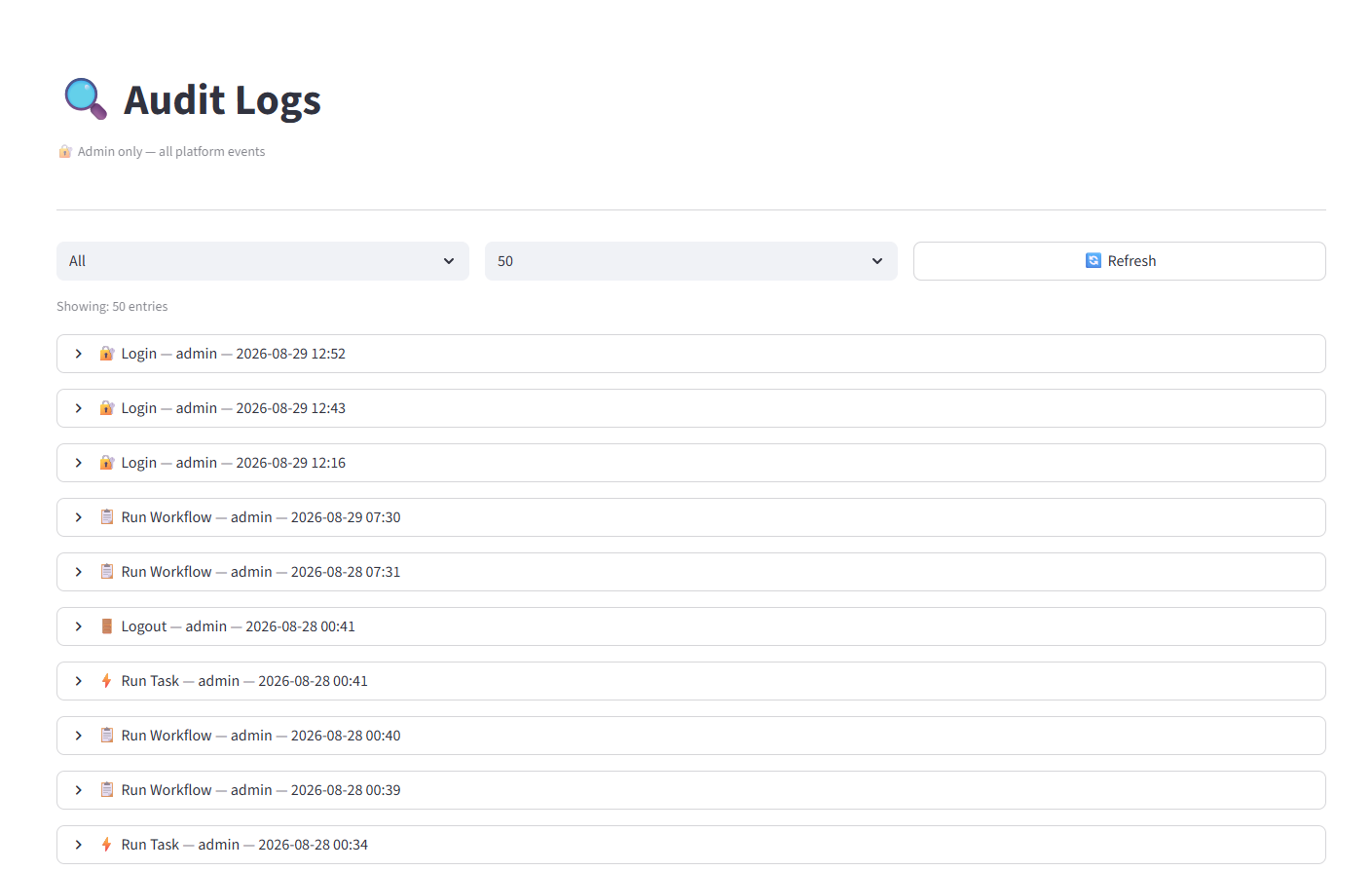
Every task execution, login, workflow run, and system event is logged with full details. Task Logs track execution results; Audit Logs track all platform events by user and timestamp.
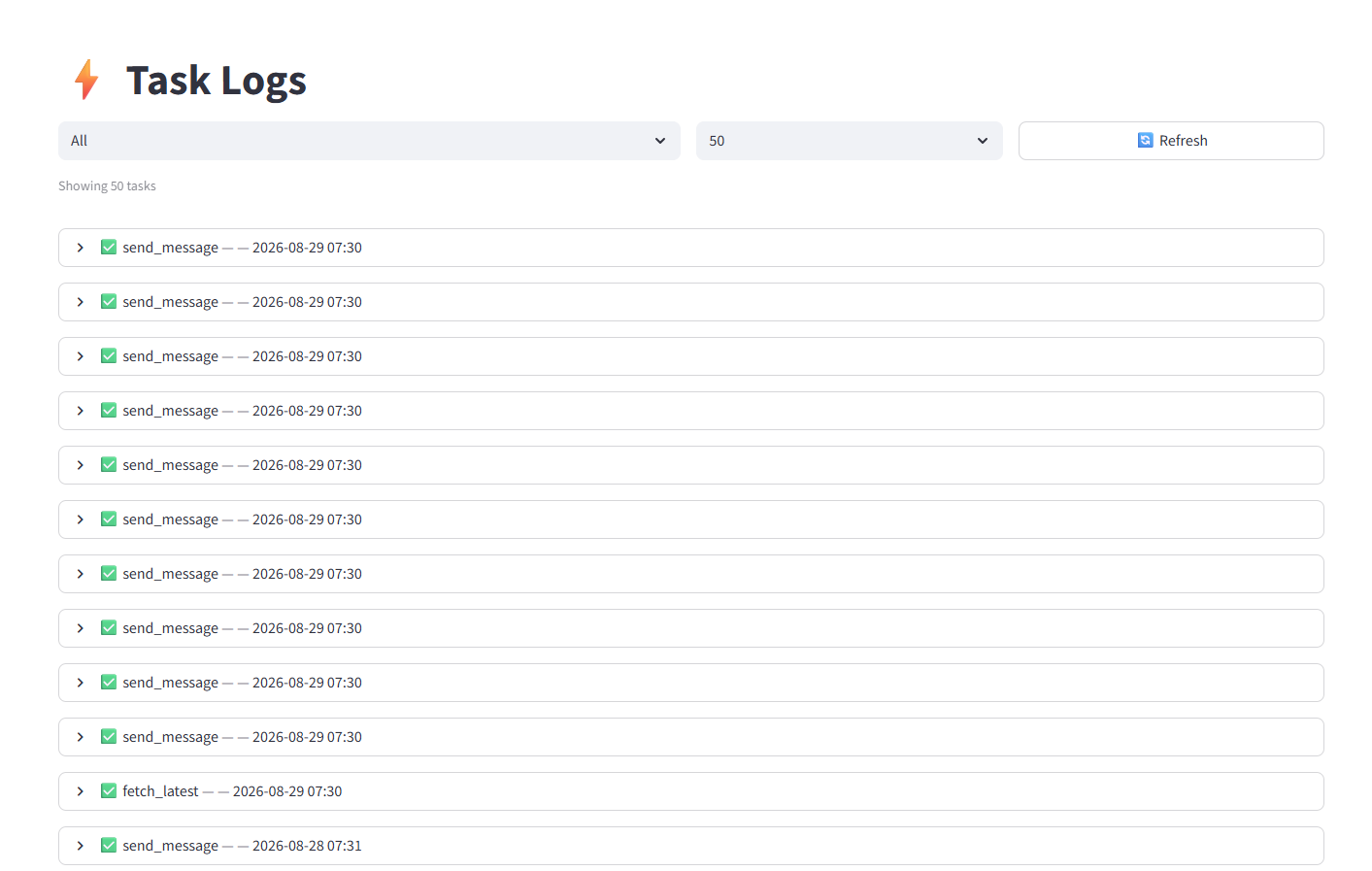
Task Logs
Task Logs showing recent execution history
Audit Logs · Admin only
Audit Logs showing logins, workflow runs, and task executions
Integration Health

Know what's working — and what isn't

Per-integration health view: runs, success rate, last execution time, and unused integrations. Spot problems before they become incidents.
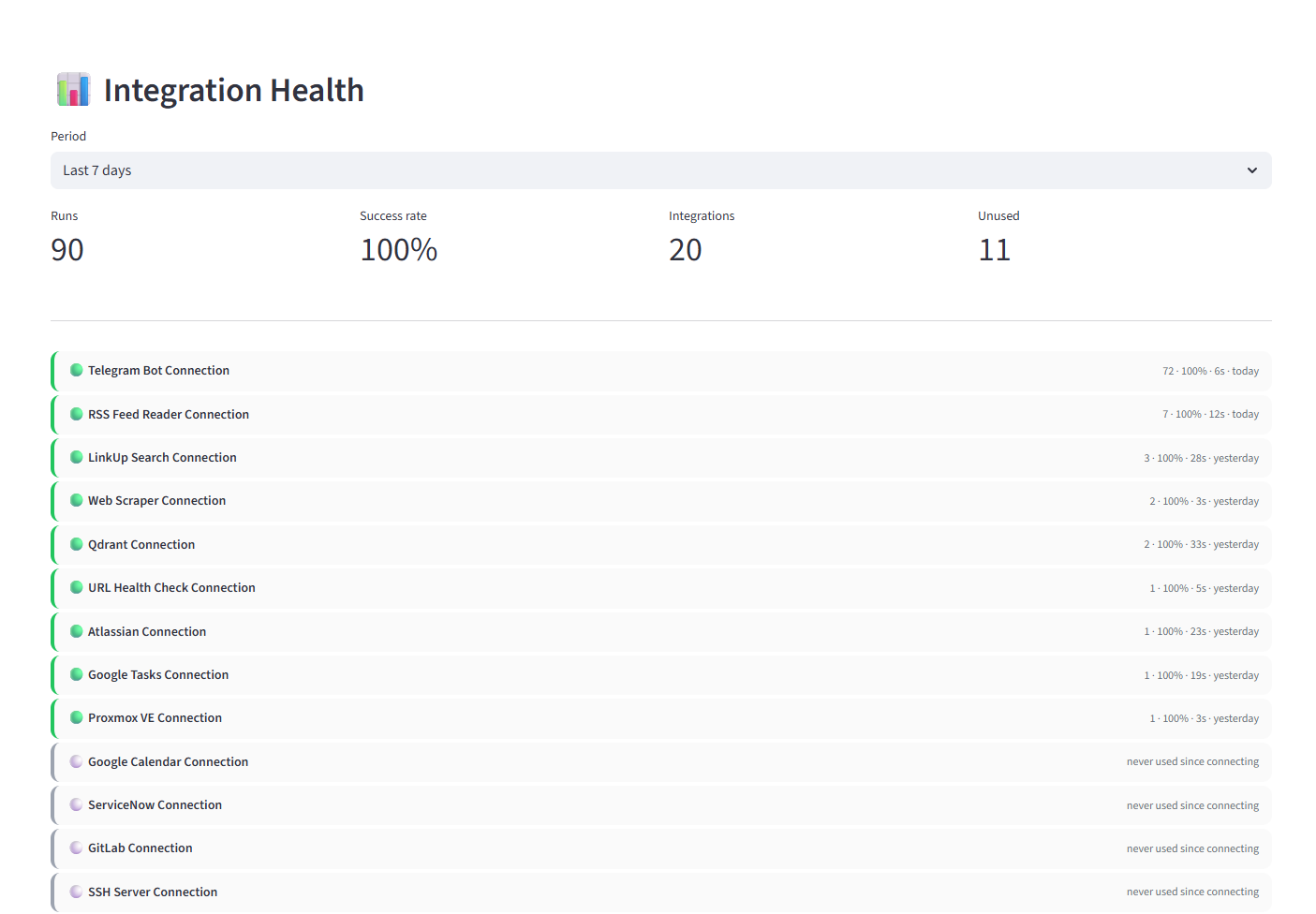
Integration Health · Last 7 days
Integration Health dashboard showing 90 runs at 100% success rate across 20 integrations
100% success rate visibility
Real numbers from real tenant data. The screenshot above shows 90 runs at 100% success across 20 integrations.
🔕
Unused integration detection
See which integrations are connected but never used — keep your workspace clean.
Task Execution Results

Real outputs from real tasks

Every task returns structured, readable output. ServiceNow incidents, PostgreSQL queries, Proxmox container status, RAG AI answers, Google Calendar events — all executed in seconds.
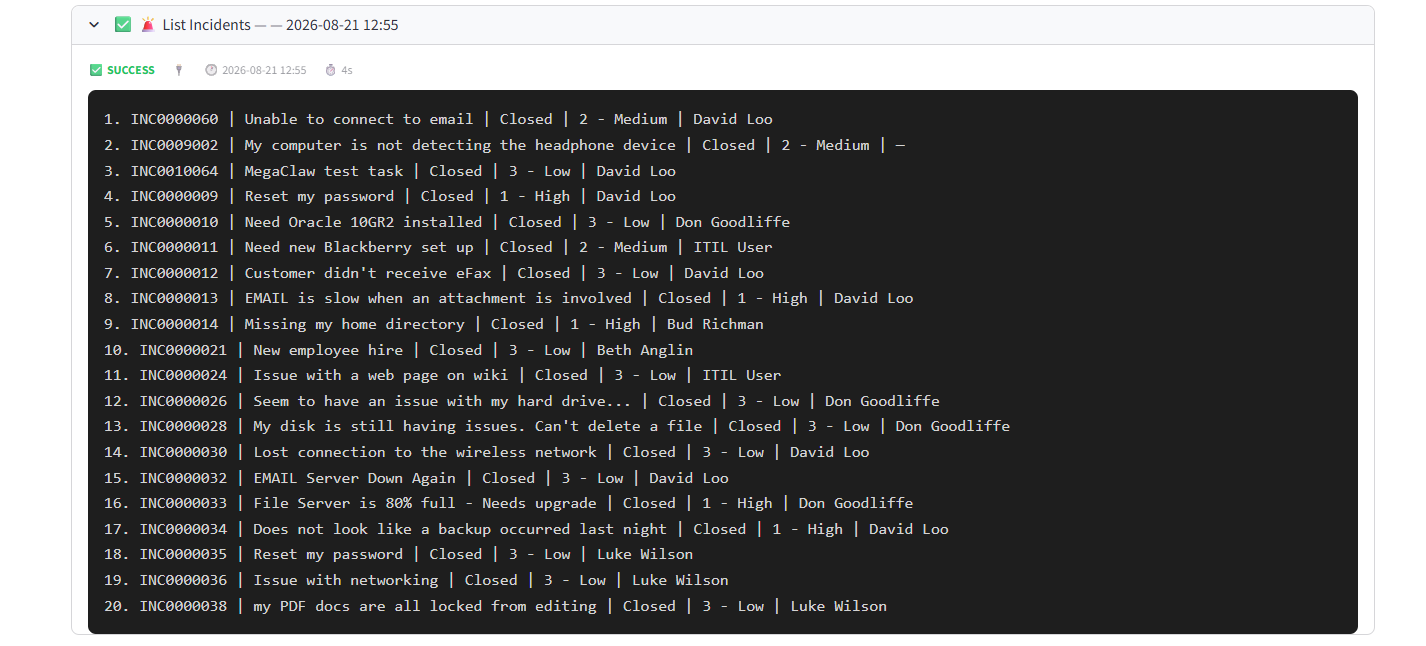

ServiceNow · List Incidents ✅ 4s
ServiceNow List Incidents result showing 20 incidents
GitLab · List Issues ✅ 10s
GitLab List Issues
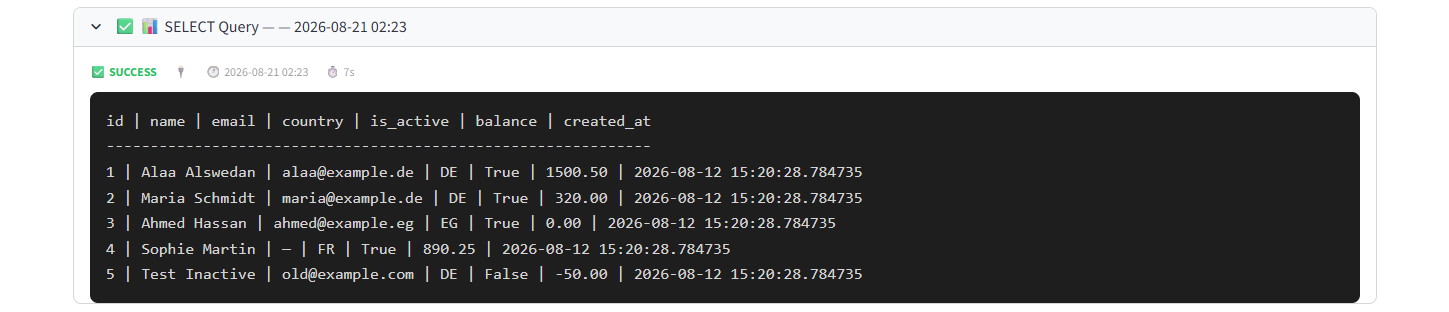
PostgreSQL · SELECT Query ✅ 7s
PostgreSQL SELECT query showing customer data
Proxmox · Container Status ✅ 4s
Proxmox container twingate status
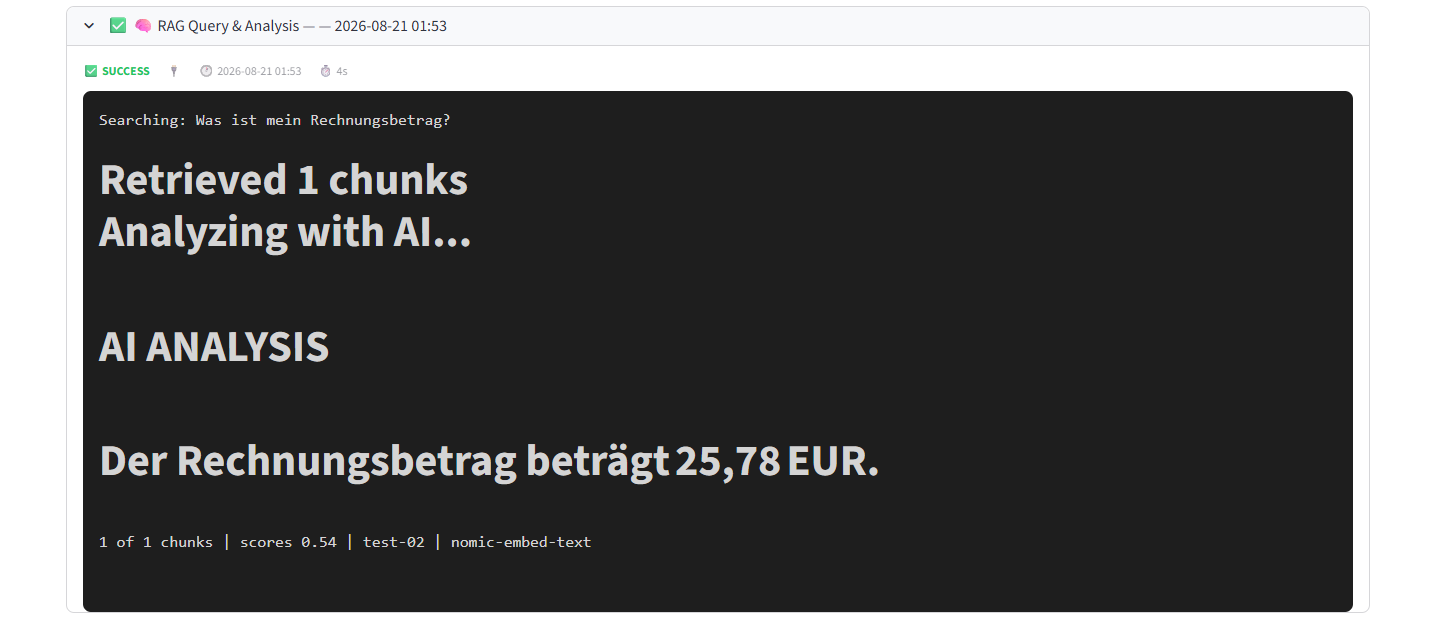
RAG Query · AI Analysis ✅ 18s
RAG query searching for invoice amount with AI analysis
Google Calendar · List Calendars ✅ 15s
Google Calendar List Calendars
Atlassian · Accessible Sites ✅ 12s
Atlassian Accessible Sites
Google Calendar · List Events ✅ 17s
Google Calendar List Events
Integration Detail

Every integration ships with pre-built tasks

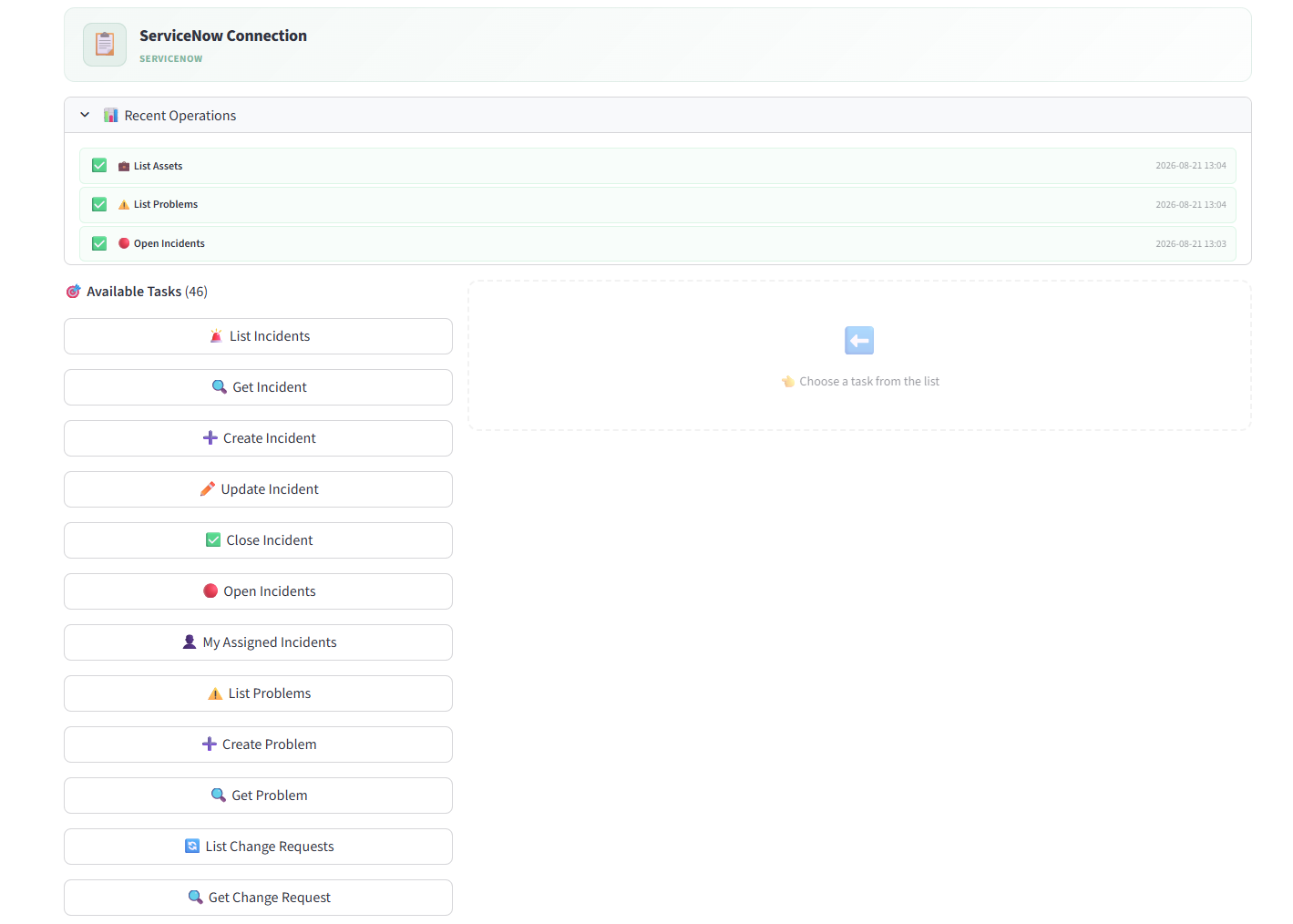
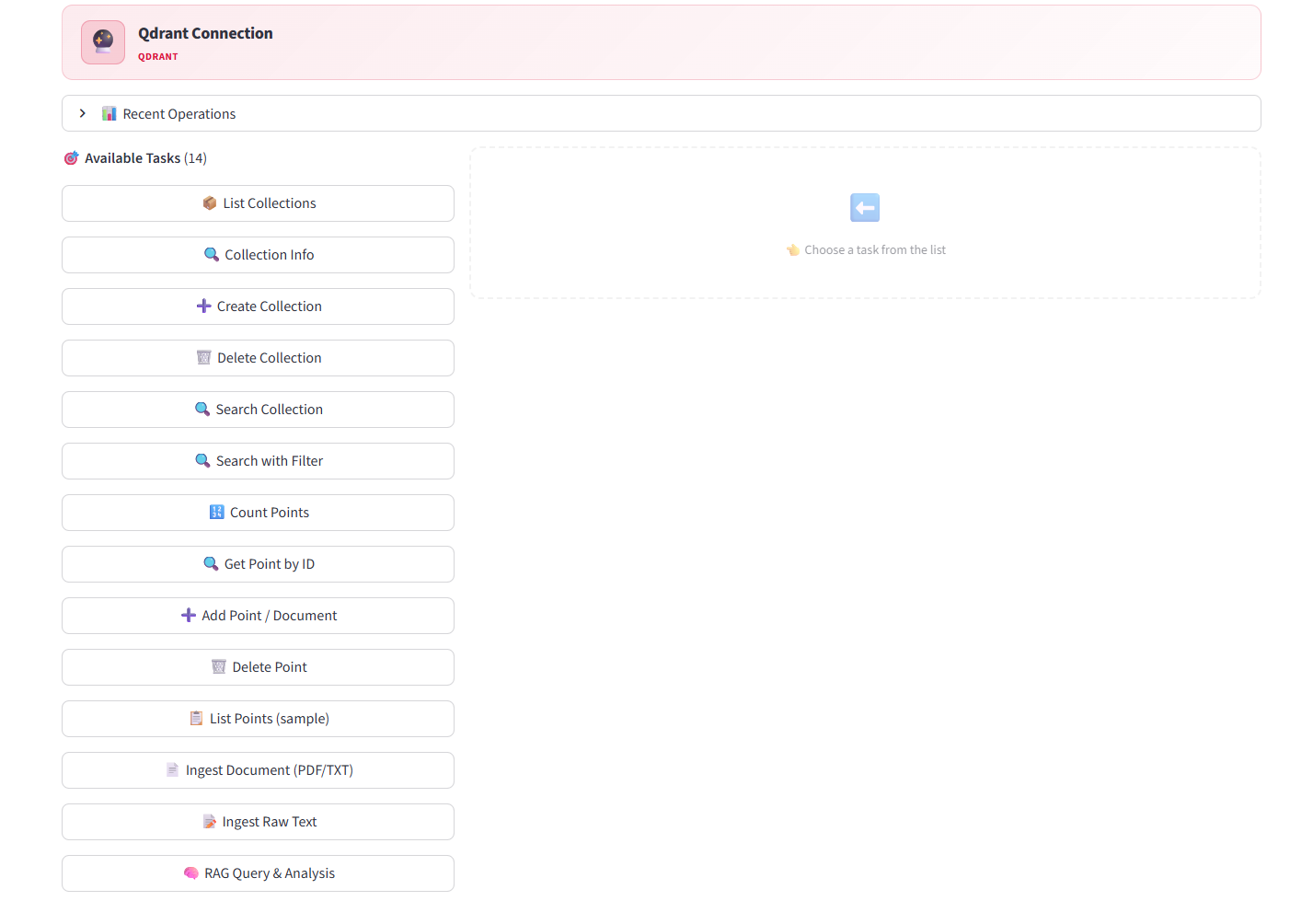
Connect once — get a full library of ready-to-run tasks with recent operation history. ServiceNow alone has 46 tasks. No configuration required.
ServiceNow · 46 tasks
ServiceNow integration with 46 available tasks
Qdrant · 14 tasks
Qdrant connection with 14 available tasks
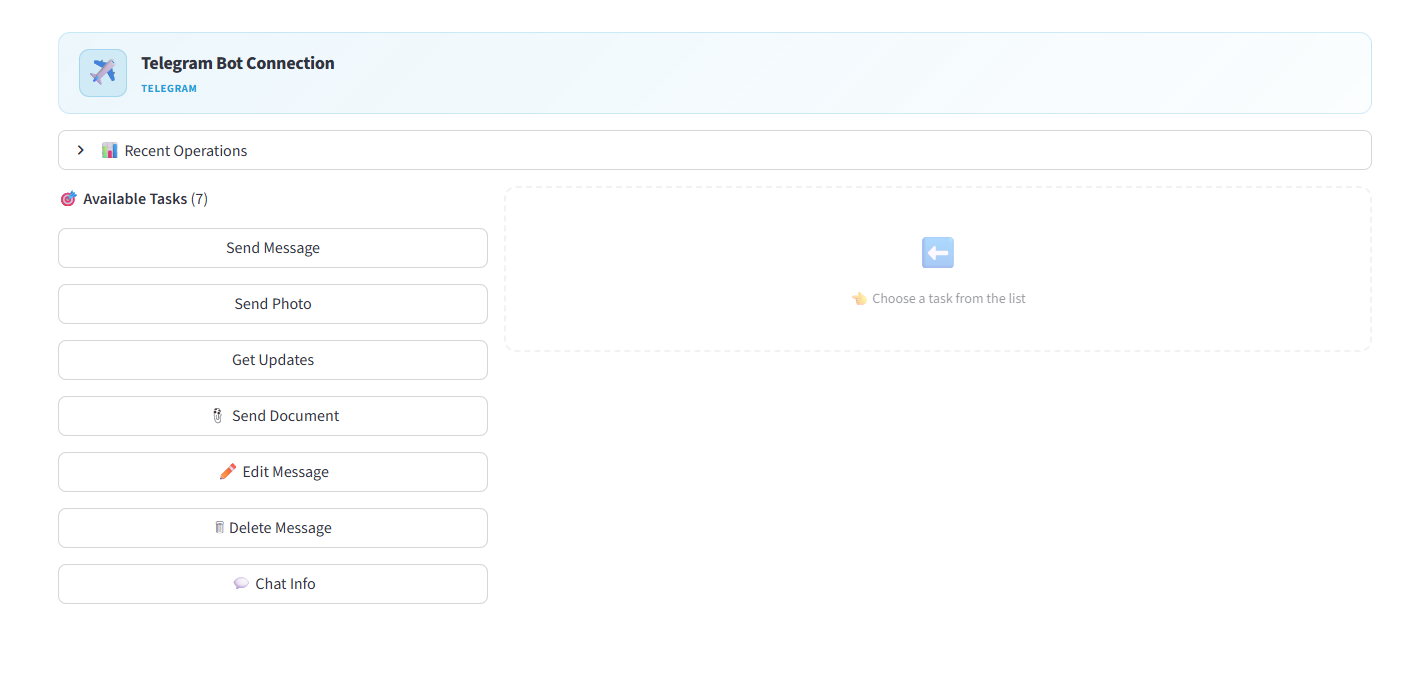
Telegram · 7 tasks
Telegram Bot connection with 7 available tasks
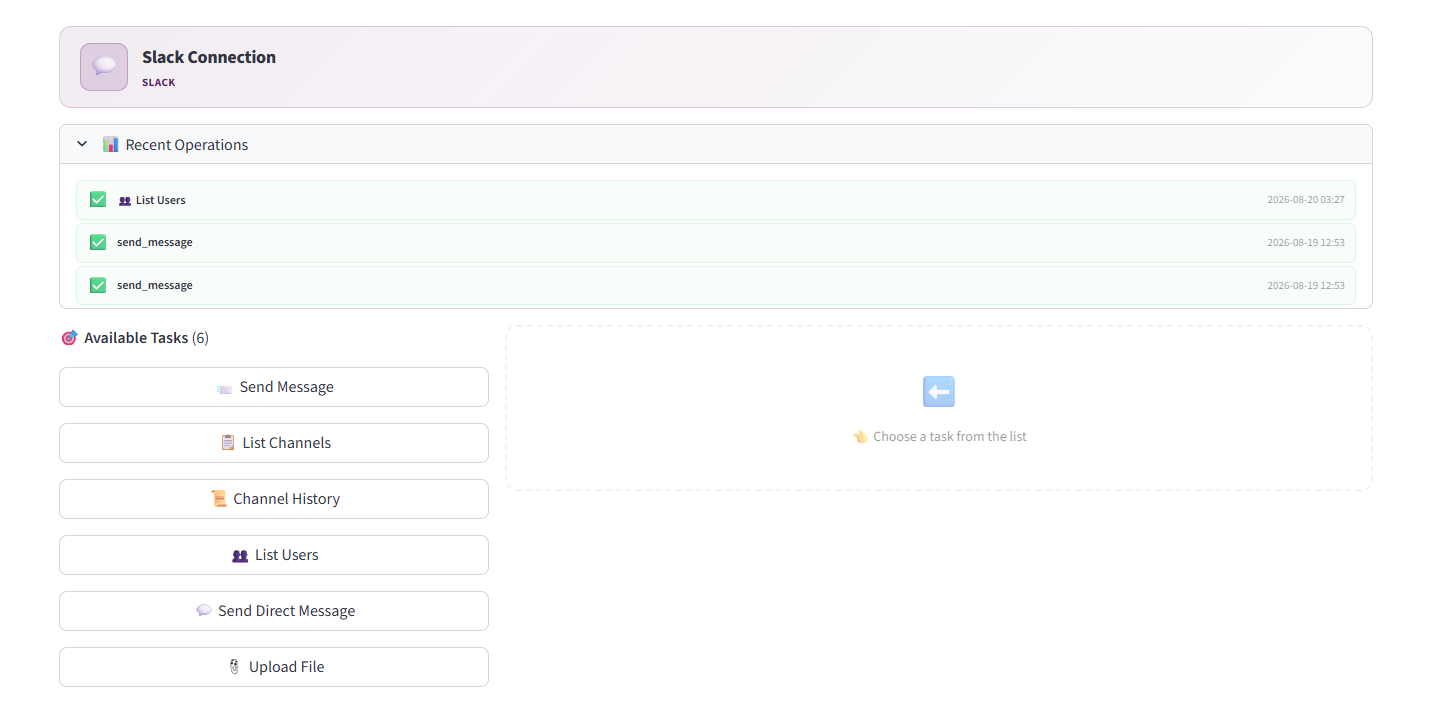
Slack · 6 tasks
Slack connection with 6 available tasks
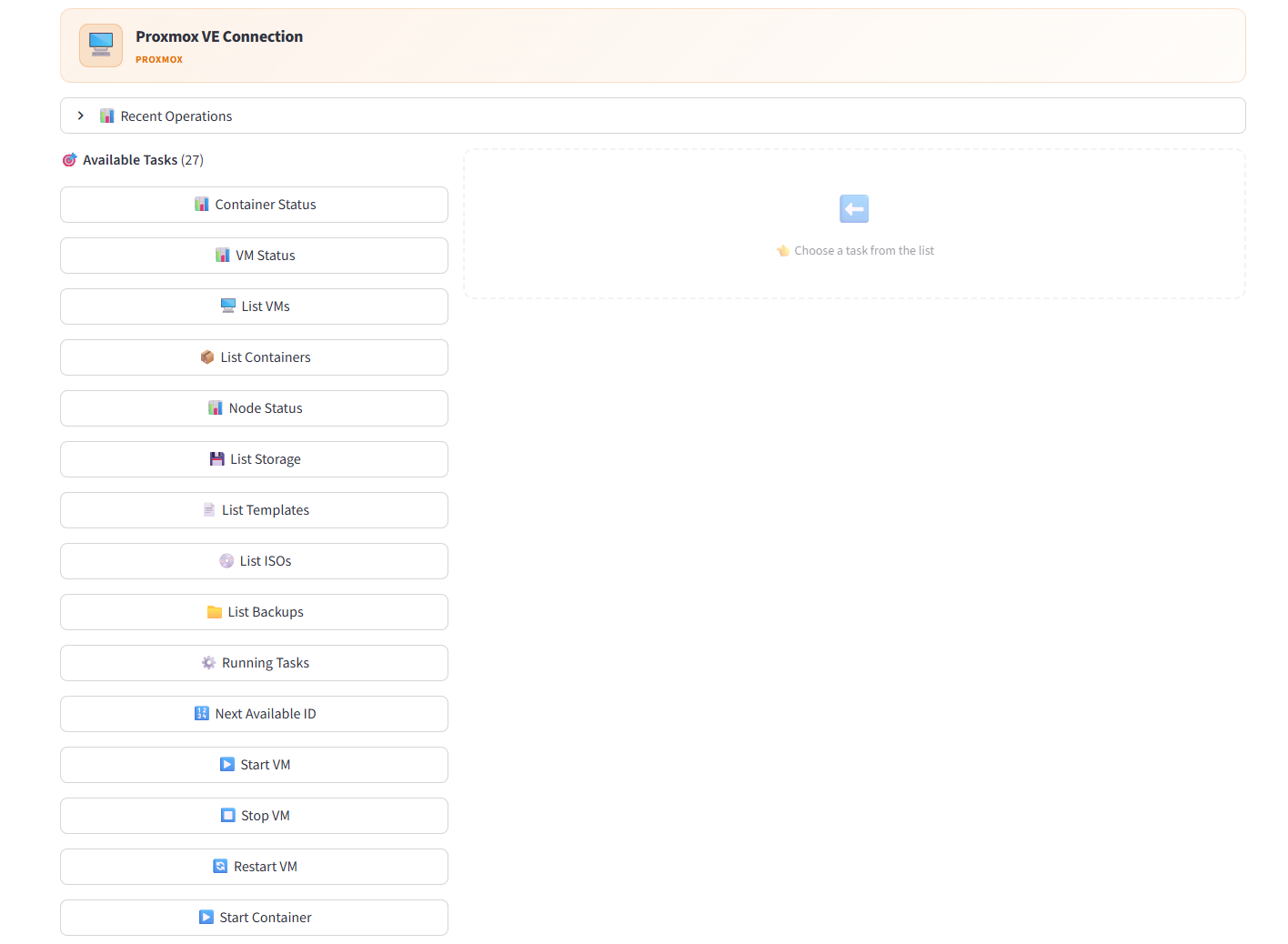
Proxmox VE · 27 tasks
Proxmox VE connection with 27 available tasks
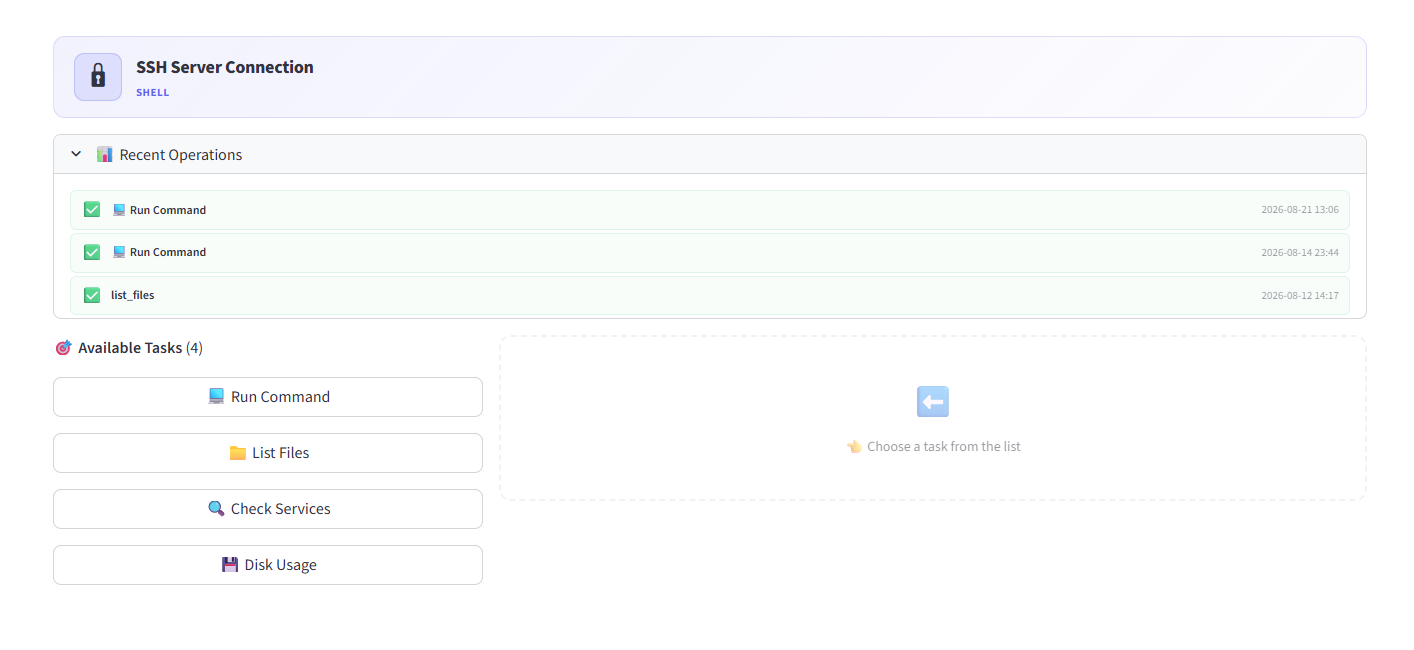
SSH Server · 4 tasks
SSH Server connection with 4 available tasks
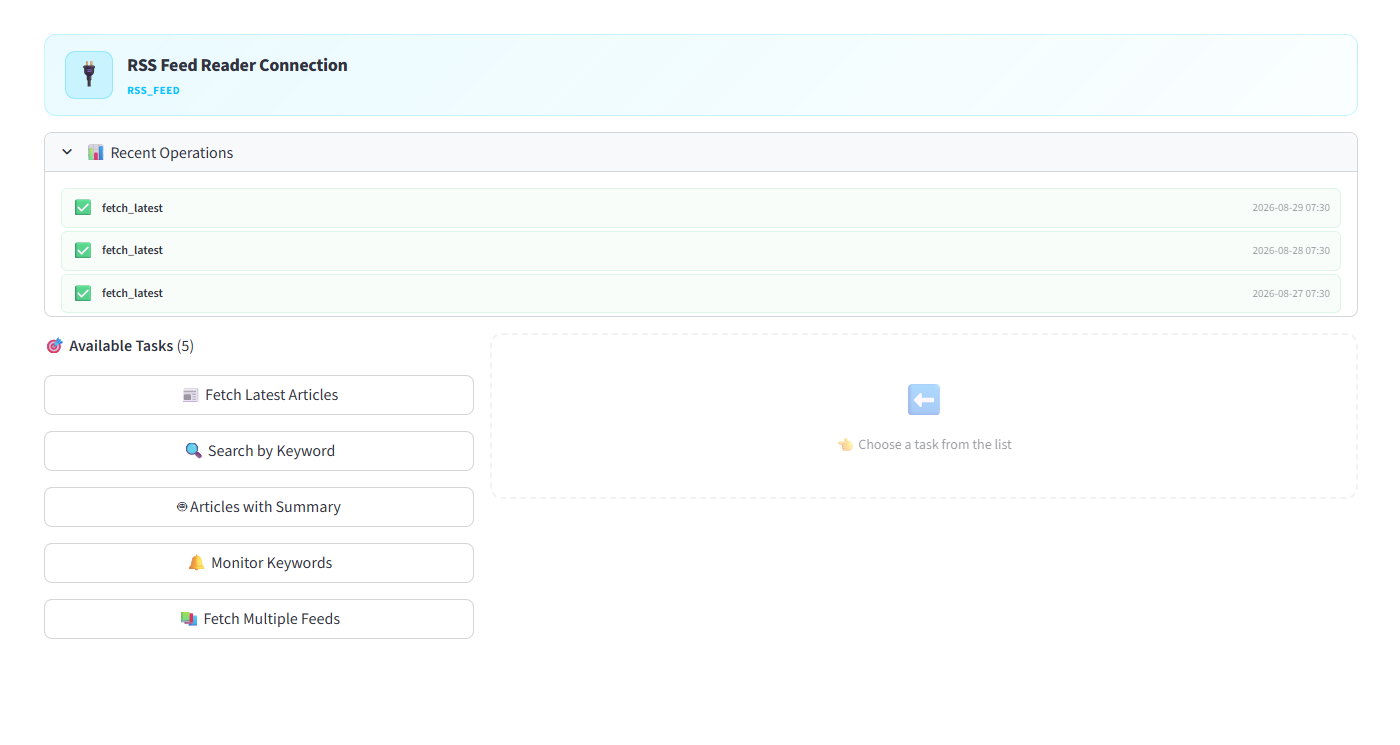
RSS Feed Reader · 5 tasks
RSS Feed Reader connection with 5 available tasks
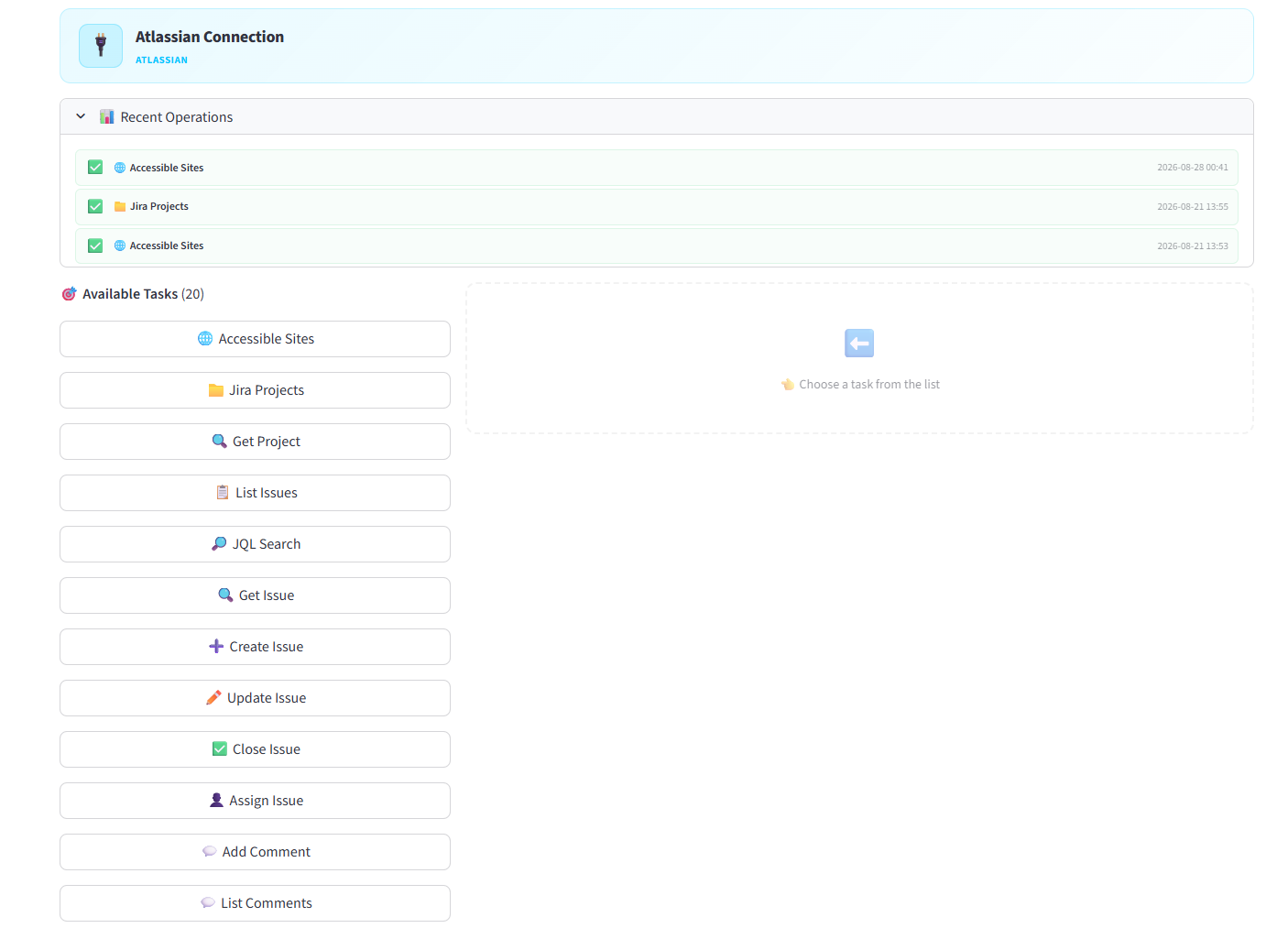
Atlassian (Jira + Confluence) · 20 tasks
Atlassian connection with 20 available tasks
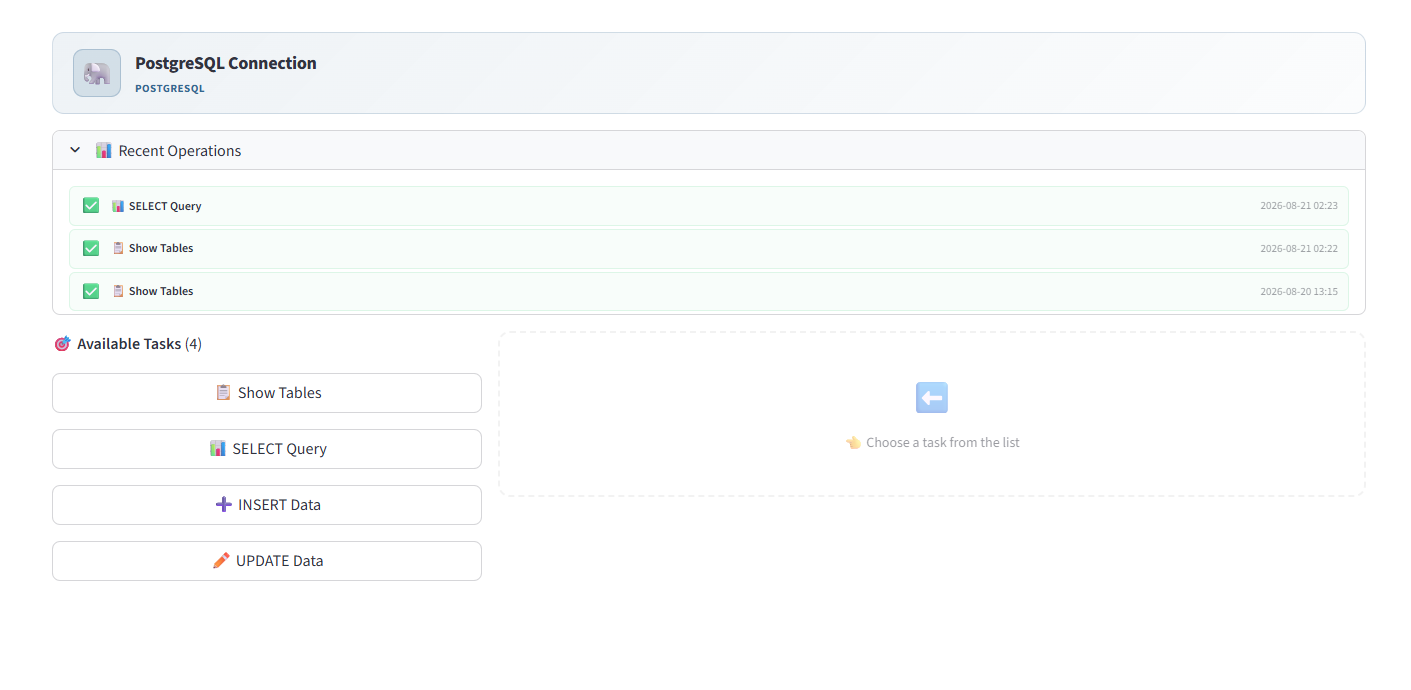
PostgreSQL · 4 tasks
PostgreSQL connection with 4 available tasks
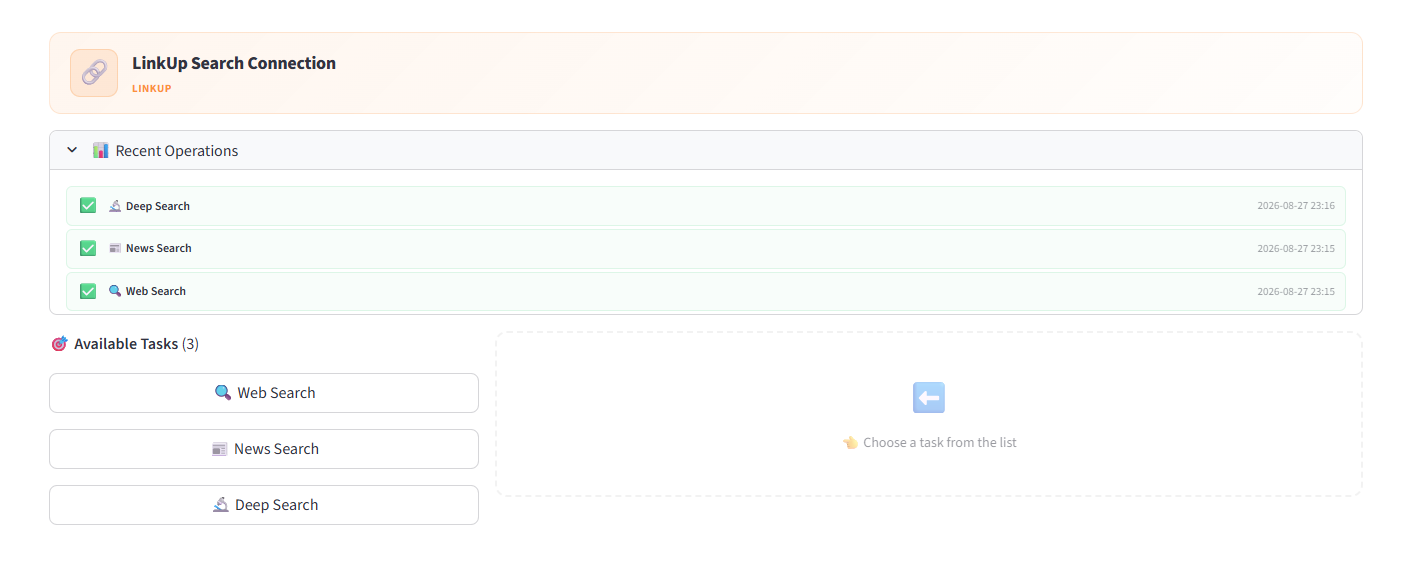
LinkUp Search · 3 tasks
LinkUp Search connection with 3 tasks
Workflow Engine — More features

Templates, AI builder, analytics & health

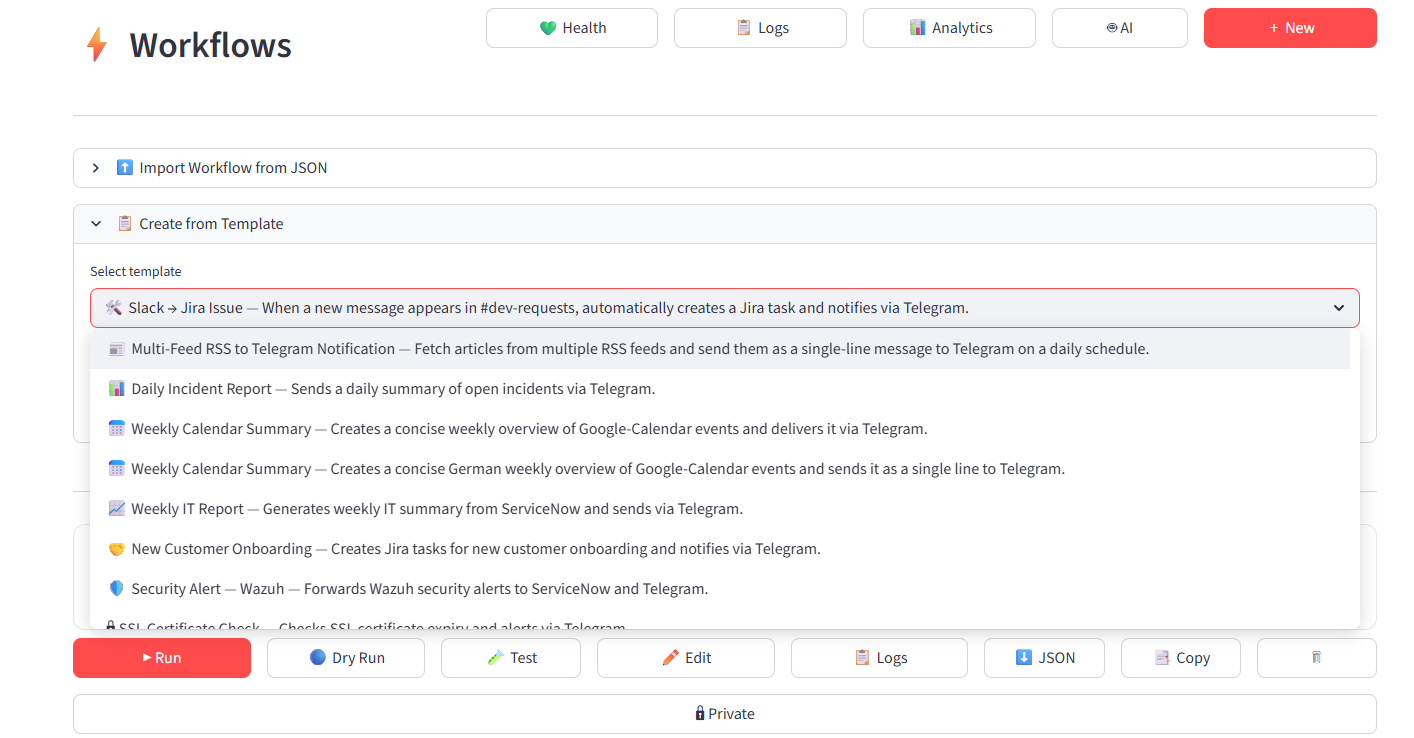
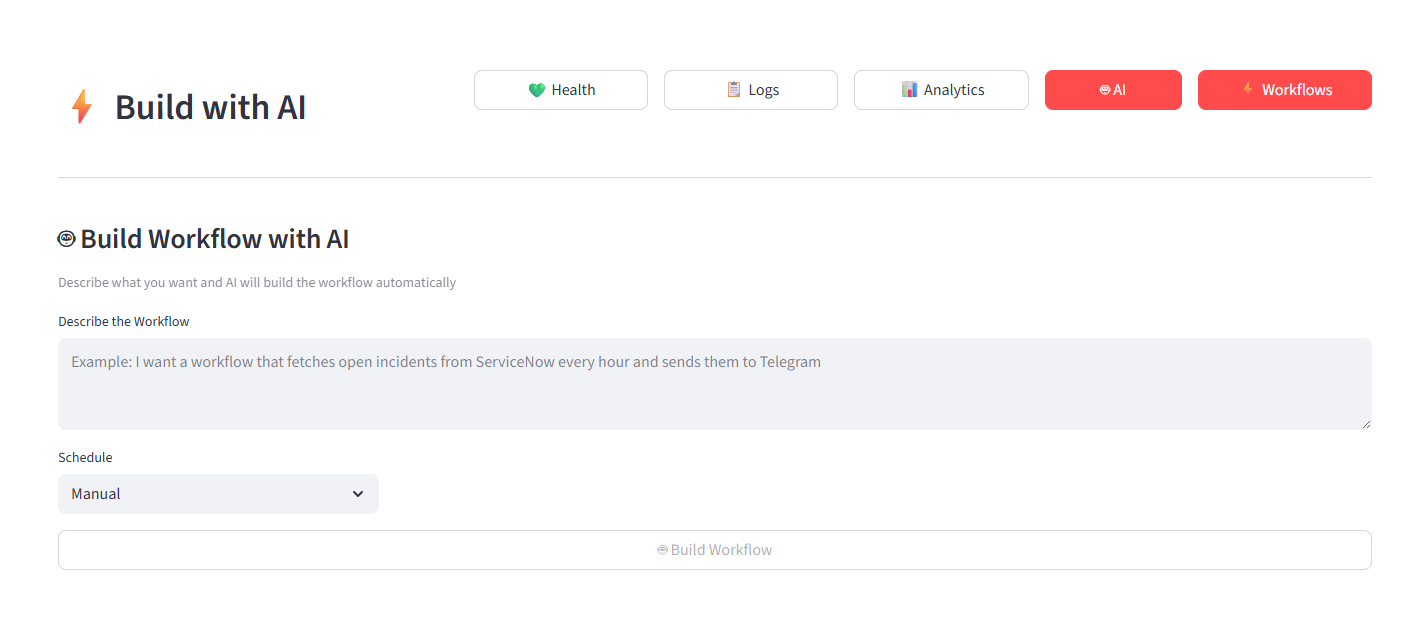
Build from pre-built templates, describe a workflow in plain language and let AI build it, then monitor health and analytics in real time.
Workflows · Create from Template
Workflow templates dropdown with pre-built automations
Workflows · Build with AI
Build workflow with AI by describing it in plain language
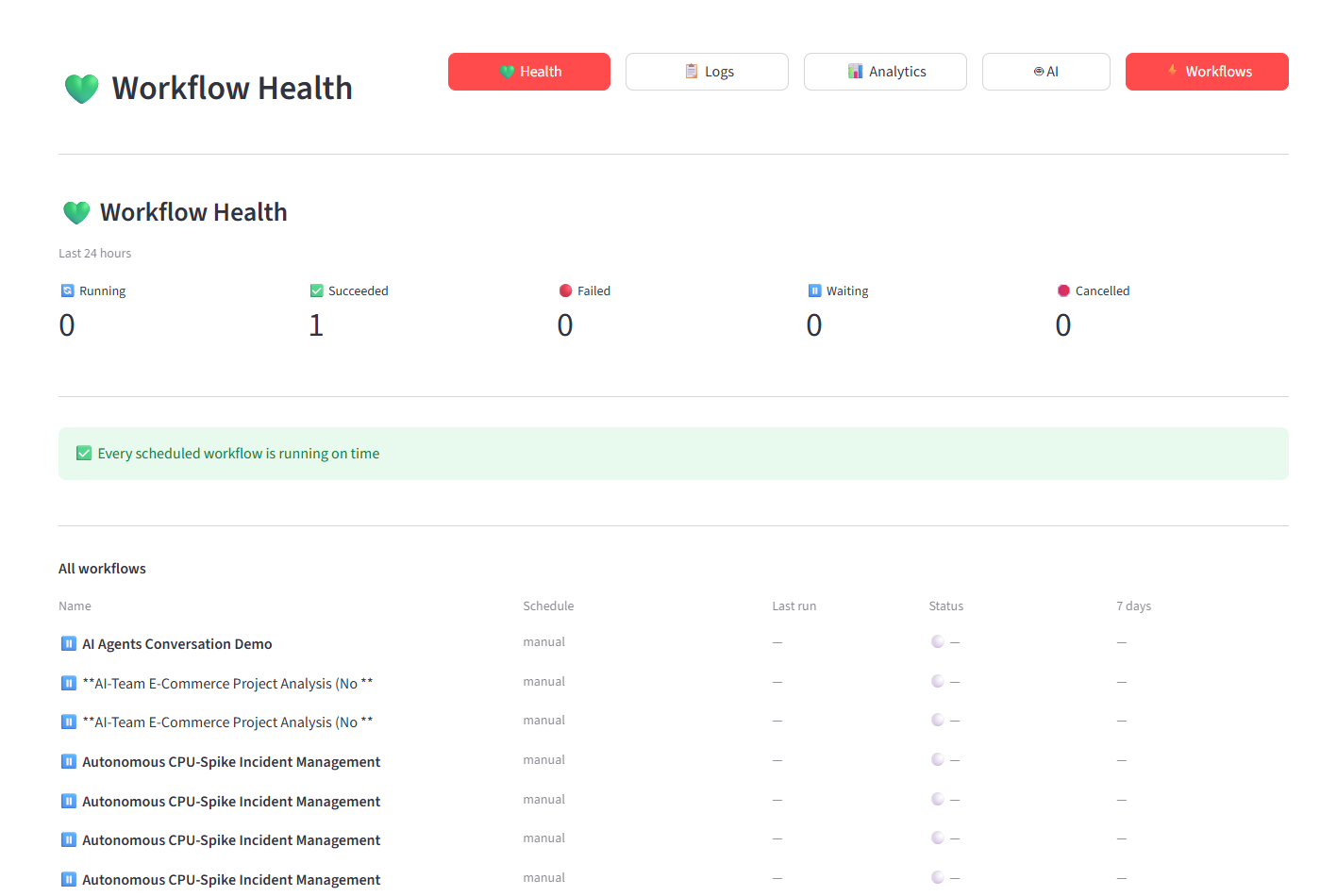
Workflows · Health
Workflow Health dashboard showing running, succeeded, failed counts
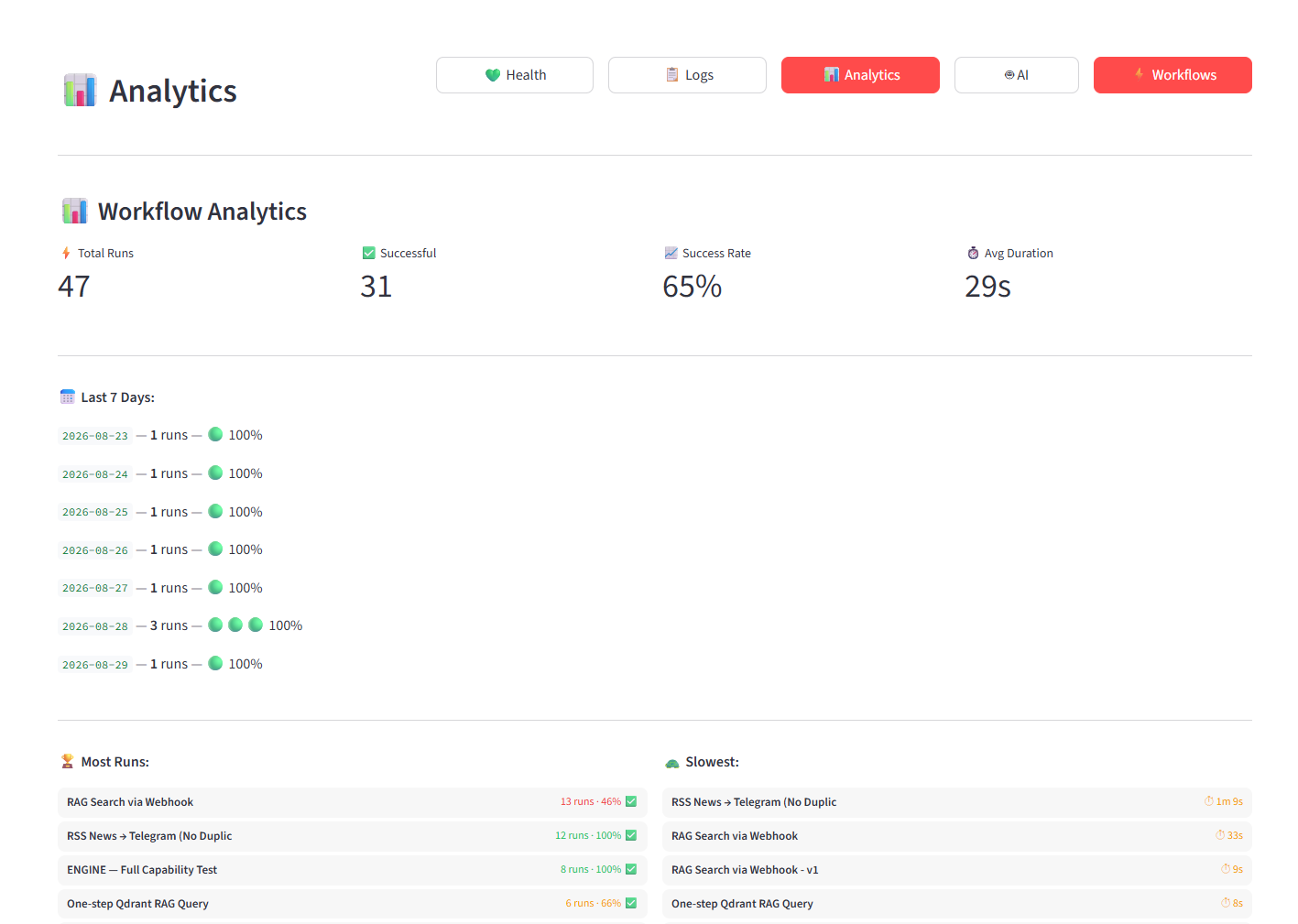
Workflows · Analytics
Workflow Analytics showing 47 total runs, 65% success rate, 29s avg duration
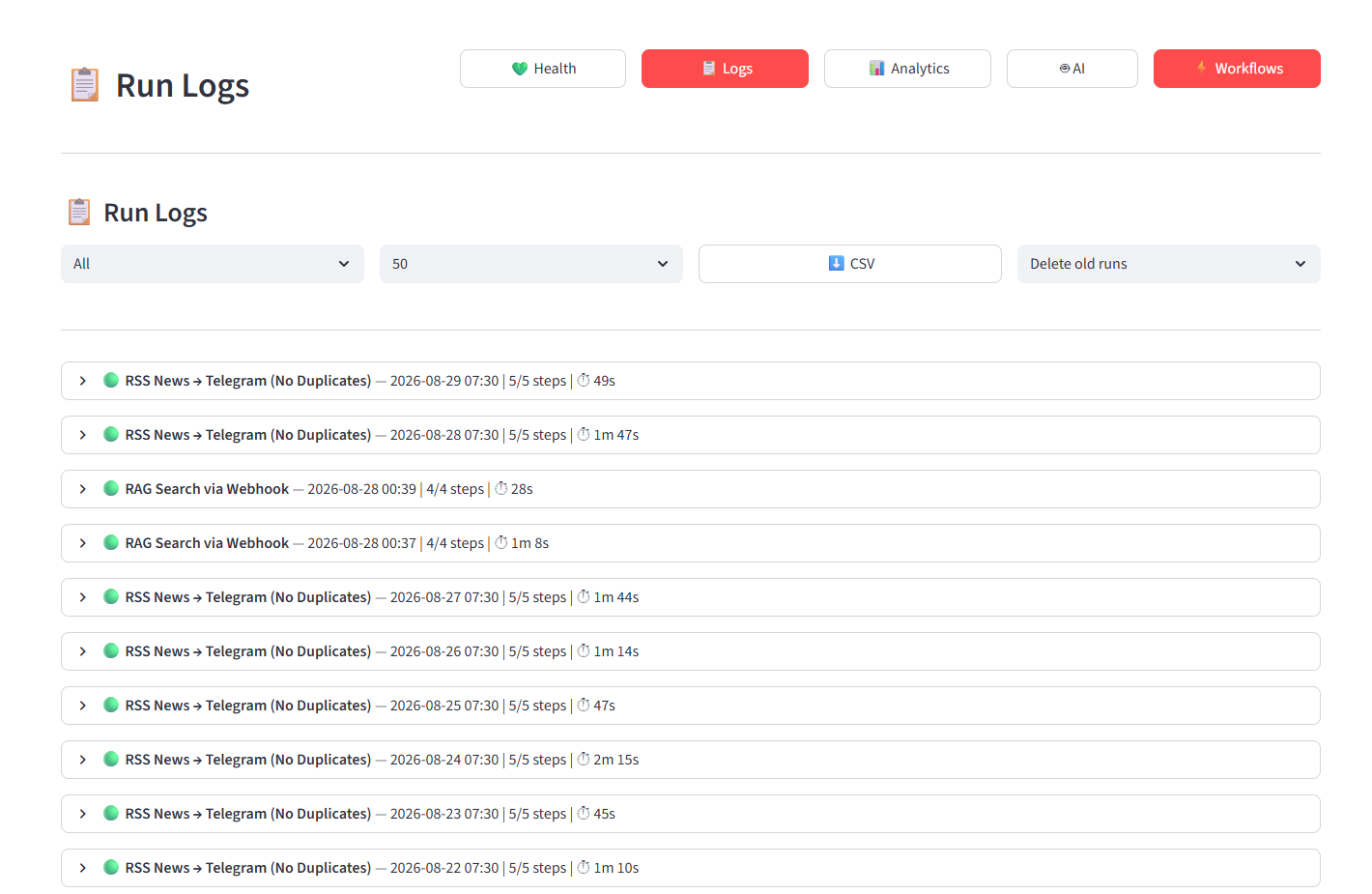
Workflows · Run Logs
Workflow Run Logs showing execution history
Workflows · Step Editor
Workflow step editor showing 49 active steps

Ready to see it yourself?

Create a free workspace and connect your first service in under 5 minutes. No credit card required during beta.